1
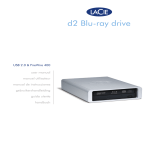
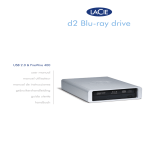
LaCie d2 Blu-ray Drive
User Manual
Helpful Technical Information
page 23
4.6. FireWire Questions & Answers
4.7. USB Questions & Answers
What is FireWire /IEEE 1394?
What Are The Benefits Of The USB Interfaces?
A serial bus used to connect external computer and consumer electronic devices to computers and consumer electronic consoles.
✦✦ Cross-platform: All recent Macintoshes and PC include USB
ports.
What does IEEE 1394 mean?
✦✦ “Hot Swappable”: No need to shut down or restart your computer when adding or removing a USB device. Plug it in and
its ready.
“1394” is an abbreviation of IEEE 1394, the name given to this
highperformance serial bus. IEEE (the Institute of Electrical and Electronic Engineers) is the name of the engineering corps that developed this standard. The 1394 refers to the 1,394th standard that the
IEEE has produced.
What is the relationship between IEEE 1394, FireWire,
iLink and DV?
These four names all refer to the same interface:
✦✦ IEEE 1394 – the name of the standard, used in the computer
industry.
✦✦ FireWire – the brand name used by Apple.
✦✦ iLink – the brand name used by Sony.
✦✦ DV – logo used by video camcorder manufacturers.
✦✦ Automatic configuration: Once your device is connected, your
computer recognizes the device and configures the software
(Windows XP and 2000).
✦✦ Daisy-Chaining: with USB ports on your computer, you can
connect up to 127 peripherals using hubs.
✦✦ Easy Installation: One standardized port and plug combination makes it simple to connect.
Will Hi-Speed USB 2.0 Devices Work on USB 1.1 Hubs
And Vice Versa?
You can use your Hi-Speed USB 2.0 devices with USB 1.1 hubs, but
the peripherals will be limited to USB 1.1 performance levels.
For more information about the USB interface, please visit:
What can the FireWire interface be used for?
www.lacie.com/technologies
With its high data transfer rates, FireWire is a great interface for consumer electronics, like BD, DVD and CD recorders, external hard
drives and video devices, such as digital camcorders, because it
has an extremely large bandwidth and supports two types of data
transfer (anyschronus and isochronous) which help to guarantee the
transfer of time-critical data.
4.8. Choosing between FireWire
and USB
FireWire is also a point-to-point interface, meaning that a FireWire
device can transmit data to another FireWire device without having
to go through a computer. This lets several computers share a given
device, and also allows up to 63 devices to be daisy-chained to the
same FireWire bus (with a max of 16 devices on one branch). To
daisy-chain, connect your one FireWire drive directly to the computer, then connect another FireWire drive to the first FireWire drive.
Does my computer have a FireWire port?
Some Macs and most recent PCs come with FireWire or i-Link interfaces. If your computer doesn’t include a FireWire interface, an
extension card can be purchased from your LaCie reseller or from
the LaCie website www.lacie.com/addons
Will my LaCie Blu-ray work faster if connected to a
FireWire 800 port ?
No. Your LaCie Blu-ray drive can be connected to a FireWire 800
port (adapter cable included) but the speeds will remain identical.
If your computer supports both interfaces, we advise you to use the
FireWire interface. FireWire technology allows for daisy chaining of
drives (i.e. you can connect the peripherals to each another) which
avoids the use of a hub. Furthermore, sustained data transfer rates
are usually higher with FireWire.