1
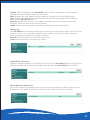
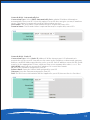
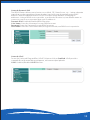
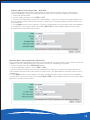
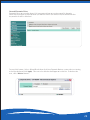
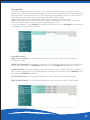
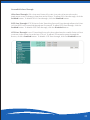
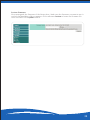
Wireless-Basic Encryption Type – WPA-PSK
It is recommended to enable encryption on your wireless router before your wireless
network adapters. Please establish wireless connectivity before enabling encryption.
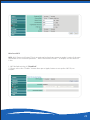
1. Select WPA-PSK mode.
2. Next to Cipher Mode, select TKIP or AES.
3. Next to Pre-Shared Key, enter a key (pass phrase). The key is entered as a pass-phrase in
ASCII format at both ends of the wireless connection. The pass-phrase must be between 863 characters.
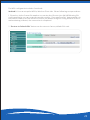
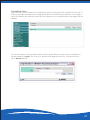
4. Click Apply to save your settings. If you are configuring the router with a wireless adapter,
you will lose connectivity until you enable WPA-PSK on your adapter and enter the same
pass phrase as you did on the router.
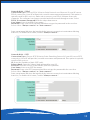
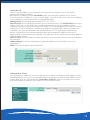
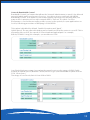
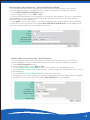
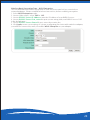
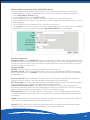
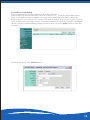
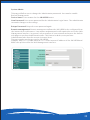
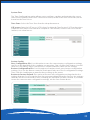
Wireless-Basic Encryption Type WPA2-PSK
It is recommended to enable encryption on your wireless router before your wireless network
adapters. Please establish wireless connectivity before enabling encryption.
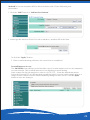
1. Select Encryption Type to WPA2-PSK mode.
2. Next to WPA Cipher Suite, select TKIP or AES.
3. Next to WPA Pass Phrase enter a key (pass phrase). The key is entered as a pass-phrase in
ASCII format at both ends of the wireless connection. The pass-phrase must be between 8-63
characters.
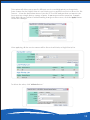
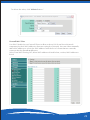
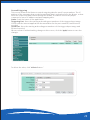
4. Click Apply to save your settings. If you are configuring the router with a wireless adapter,
you will lose connectivity until you enable WPA2-PSK on your adapter and enter the same pass
phrase as you did on the router.
18