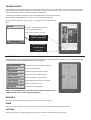
1
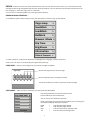
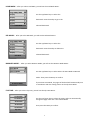
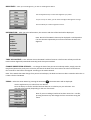
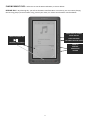
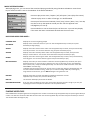
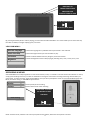
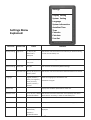
Settings Display Setting System Setting Language System Information AutoShut Time Time Calendar Calculate Font Set Settings Menu Explained: SELECTION Display Setting System Setting MENU ITEM CHOICE COMMENT Light-‐Time 5 / 10 / 15 /20 30 Seconds / Always On This sets the amount of time the unit will stay on without activity, in order to save battery use. Brightness One / Two / Three / Four / Five This sets the overall brightness of the unit’s screen. Restorable Yes / No This resets the unit to factory default settings. Key Lock Time 10 sec/ 30 sec/ 5 min / This sets the amount of time taken before the buttons are locked. 10 min / None Language English / Deutsch / Italian / Portuguese / Dutch / French / Spanish / Russian / Chinese System Info Select the language you would like to use. The default is English. Displays the hardware specifications of this unit. AutoShut Time 3 / 5 / 10 / 15 / 20 Min This sets the time taken before the unit completely shuts down No Auto Shutdown when there is no activity, in order to save battery use. Time Time and Date Calendar Font Set Allows you to set the unit’s time and date. Displays the calendar. Scroll to different dates using Up /Down keys. Default / Arial / Times This allows you to choose the font in which all the menus are New Roman / displayed. Helvetica / DroidSansFaliback 15