1
Operating instructions multimess
8.8
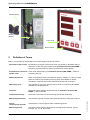
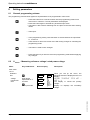
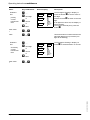
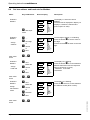
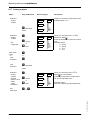
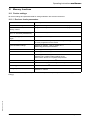
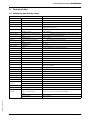
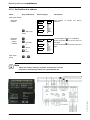
Set bus address and baud rate for Modbus
Menu
Key combination
Submenu
Modbus
Device display
0001
U Start input
L1
19.2
L2
rtu
L3
0001
L1
Description
MBUS
UPh-N
UPh-Ph
I
S
P
Q
cos ϕ
kWh
kvarh
Harmon.
Extra
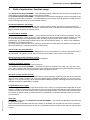
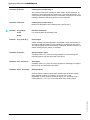
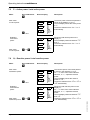
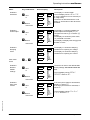
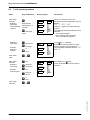
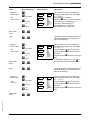
The display L1 shows the device
address.
The baud rate is displayed in display L2.
Display L3 shows the selected bus
protocol (RTU or ASC).
mode
Submenu
Modbus
Assign
address
V .....
U next digit
or
19.2
L2
or
rtu
L3
0001
L1
R cancel
Q save
Main menu
Extra
Submenu
Modbus
Assign
baud rate
Submenu
Modbus
Assign
transmission
mode
V next
Baud rate
R cancel
Page 40 of 66
19.2
L2
rtu
L3
0001
L1
or
MBUS
UPh-N
UPh-Ph
I
S
P
Q
cos ϕ
kWh
kvarh
Harmon.
Extra
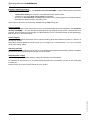
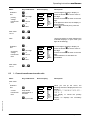
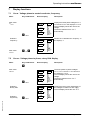
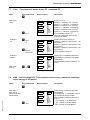
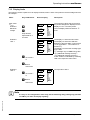
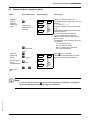
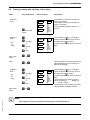
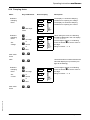
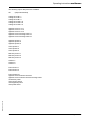
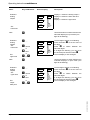
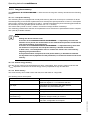
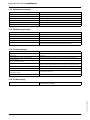
The display L2 is flashing.
Press the button V to choose between
different baud rates with the respective
parity even/odd or no parity.
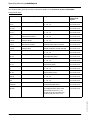
4.8k baud 9.6k baud
19,2k baud
X or W
W next
Baud rate
R cancel
19.2
L2
rtu
L3
or
V Selection
Q save
MBUS
UPh-N
UPh-Ph
I
S
P
Q
cos ϕ
kWh
kvarh
Harmon.
Extra
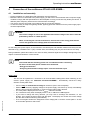
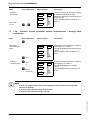
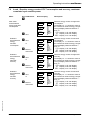
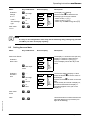
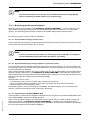
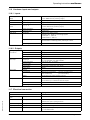
The display L3 is flashing.
Press the V button to choose between
the different modes (RTU or ASC).
X or W
EDEBDA0122 / 4809-1 GB
Main menu
Extra
UPh-N
UPh-Ph
I
S
P
Q
cos ϕ
kWh
kvarh
Harmon.
Extra
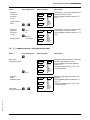
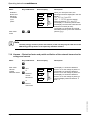
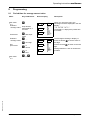
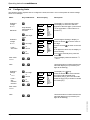
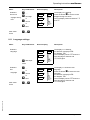
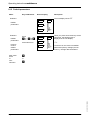
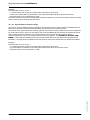
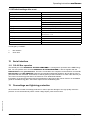
The first digit in display L1 is flashing.
Press the button V to set the value of
this digit.
Press the button U to switch to the next
digit.
X or W
Q save
Main menu
Extra
MBUS
Version 3.00