1
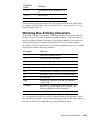
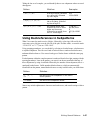
Character
Class
Matches
[--A]
any character in the range from - to
A
[aeiou-]
any vowel or -
[aei\-ou]
any vowel or -
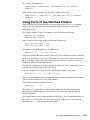
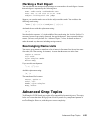
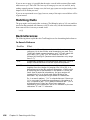
Character classes respect the setting of the Case Sensitive checkbox in the Find window.
For example, if Case Sensitive is on, [a] will only match “a”; if Case Sensitive is off, [a]
will match both “a” and “A”.
Matching Non-Printing Characters
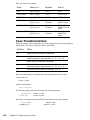
As described in Chapter 7 on searching, TextWrangler provides several special character
pairs that you can use to match common non-printing characters, as well as the ability to
specify any arbitrary character by means of its hexadecimal character code (escape code).
You can use these special characters in grep patterns as well as for normal searching.
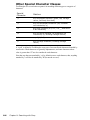
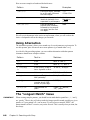
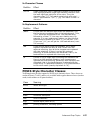
For example, to look for a tab or a space, you would use the character class [\t ] (consisting
of a tab special character and a space character).
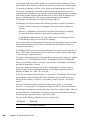
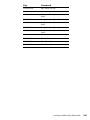
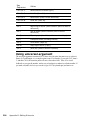
Character
Matches
\r
line break (carriage return)
\n
Unix line break (line feed)
\t
tab
\f
page break (form feed)
\a
alarm (hex 07)
\cX
a named control character, like \cC for Control-C
\b
backspace (hex 08) (only in character classes)
\e
Esc (hex 1B)
\xNN
hexadecimal character code NN (for example,
\x0D for CR)
\x{NNNN}
any number of hexadecimal characters NN… (for
example, \x{0} will match a null, \x{304F} will
match a Japanese Unicode character)
\\
backslash
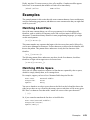
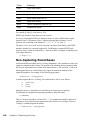
Use \r to match a line break in the middle of a pattern and the special characters ^ and $
(described above) to “anchor” a pattern to the beginning of a line or to the end of a line. In
the case of ^ and $, the line break character is not included in the match.
Writing Search Patterns
143