1
Chapter 1 Before Using the Scanner
1-3 Names and Functions of Parts
This section describes the name and function of each part. Make sure to read this section and
familiarize yourself with the parts of the scanner before using the scanner.
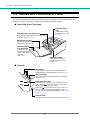
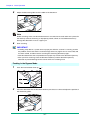
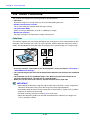
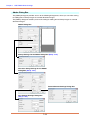
■ Front View (Feed Tray Open)
Document Eject
Tray
Scanned documents
are ejected here. (See
p. 3-3.)
Document Eject Tray Extension
Open if the document extends beyond the edge
of the eject tray. (See p. 3-3.)
Document Feed Tray
Place the document to be
scanned here. (See p. 3-3.)
Document Feed
Tray Extension
Pull this tray out if
the document hangs
over the edge of the
main tray.
(See p. 3-3.)
Document Guides
Adjust these guides to fit
the width of the document.
(See p. 3-6.)
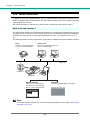
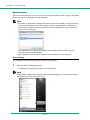
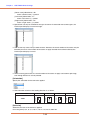
■ Controls
Job Buttons
These buttons can perform user-specified functions
assigned with the Job Registration Tool. (See p. 3-9.)
Power Indicator
This indicator lights when the scanner is turned ON.
(See p. 2-14.)
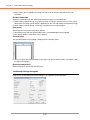
Feed Selection Lever
Use this lever to change the way documents are fed.
Push it down (
) to feed documents continuously
(page separation mode.) (See p. 3-5.)
Push it up ( ) to feed documents one at a time or to
feed documents that are fastened together, such as
invoices, without separating them (bypass mode.) (See
p. 3-7.)
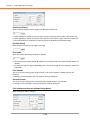
Power Switch
This switch is used to turn the scanner ON. (See p. 2-13.)
1-7