1
GRD’s User Manual
Exemys
3.2.4.2 Password
The GRD has a password for authentication with the MW, therefore, at the moment of connection a verification
is made to see if the GRD password coincides with the one in MW, if it does, it accepts the connection.
Additionally, the GRDs can be configured and monitored through SMS messages. In the case of configuration it
is possible to protect the same with the password. In this manner, when you send the SMS it must include the
password to be able to make modifications. The password can have a maximum length of 8 characters.
3.2.4.3 Waiting time
At the moment of production of this document, it was found that TCP communication through a cellular
telephone network has delays of approximately 1 second, sometimes more, depending on the quality of service
provided by the cellular telephone operator. For this reason it is recommended to configure the timeouts of the
user application in several seconds (Ex. 5 sec.).
3.2.5 Default values
When using the Middleware-GRD solution, all the GRDs have the same TCP configuration (IP, port).
Additionally, we usually work with a single cellular telephone operator. For this reason, the GRD-XF
Configurator allows the storage of this configuration so in the application to new GRDs it will not be necessary
to rewrite the configuration for each one.
3.2.5.1 Storing the default values
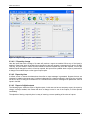
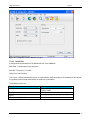
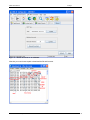
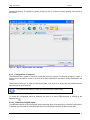
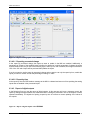
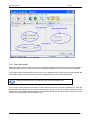
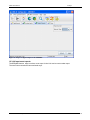
To configure the predetermined values select in the menu File->Edit default values.
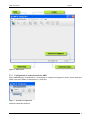
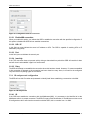
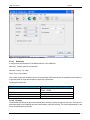
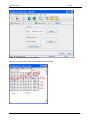
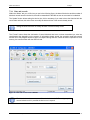
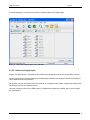
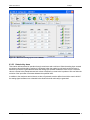
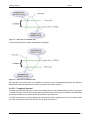
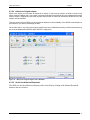
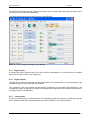
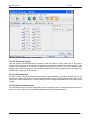
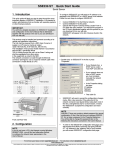
The GRD-XF Configurator will show the following window
Figure 16 - Form of default values
Select the values to be configured in the GRDs and then press OK.
Some of the configuration values differ for each GRD, like for example, the ID and
PIN corresponding to the SIM card, and are not stored in the default values. Don’t
forget to configure them!
www.exemys.com
Rev. 2.2.0 Julio 2010
24