1
Office
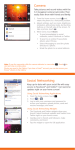
To access the news screen:
1.
Sweep across the screen to the left.
With Office, you can view, edit, and create Excel spreadsheets
and Word documents, view and edit PowerPoint presentations,
create notes, or search for and share document files with others.
The news screen displays.
2.
Tap
to refresh the news.
3.
Tap
to edit the news category.
4.
Press
To access Office, follow these steps:
1.
.
Sweep across the screen to the left.
The stocks screen displays.
2.
Tap
to edit the stocks settings.
3.
Tap
Add a stock.
4.
Type a company name or stock symbol using the keypad,
tap
➔ Office
.
The following Microsoft Office applications are available:
To access the stocks screen:
1.
From the Home screen, tap
, and then tap the correct stock to add it to your
stocks.
5.
Sweep across the screen to the left to Add an index.
6.
Press
7.
To refresh your stock listings, tap
• OneNote: capture notes, ideas, pictures, and voice memos on the
go and share notes with others.
• Excel: view, edit, and create Microsoft Excel spreadsheets on your
phone.
• Word: view, edit, and create Microsoft Word documents on your
phone.
• PowerPoint: view and edit Microsoft PowerPoint presentations on
your phone.
• SharePoint: Access Microsoft SharePoint documents and lists from
your phone. Download documents, make updates on your phone,
and save them back to SharePoint.
2. Sweep your screen to the left to display the different
.
applications.
.
3.
Follow the on-screen instructions to use the Microsoft
Office applications.
Applications
110