1
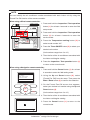
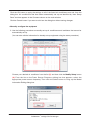
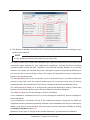
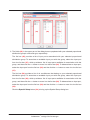
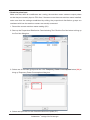
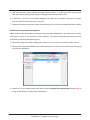
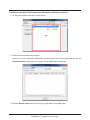
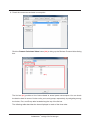
5. If you want to start the calculation for a proportional distribution group whose calculation is
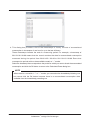
stopped, select the group in the list box and then click the Start Calculation button (31).
If you want to suspend the calculation for a proportional distribution group whose calculation
is currently in progress, select the group in the list box and then click the button (31), whose
label changes to “Suspend” in this case.
If you want to resume the calculation for a proportional distribution group whose calculation is
currently suspended, select the group in the list box and then click the button (31), whose label
changes to “Resume Calculation” in this case. This action causes the adjustment of each indoor
unit’s pulse meter value and therefore can be used when you want to make meter adjustments.
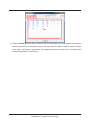
If you want to stop the calculation for a proportional distribution group currently in progress,
select the group and then click the Stop Calculation button (32). On the confirmation dialog
box that appears, click the OK button to stop the calculation.
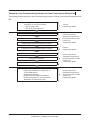
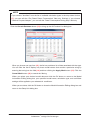
•• Check that the watt-hour meters are up to the specifications
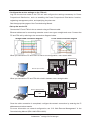
Performing proportional distribution with iTM requires one or more watt-hour meters.
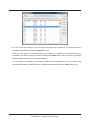
The total power consumption recognized by iTM is derived as pulse input from watt-hour meters.
Watt-hour meters play a critical role to iTM. Make sure that the watt-hour meters you plan to use
meet the specification requirements of iTM.
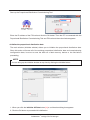
A watt-hour meter can be connected to iTM only if it complies with the following requirements:
•• It must be a watt-hour meter complete with a pulse oscillator.
•• It must support output pulse units from 0.1 kWh/pulse to 10.0 kWh/pulse and allow pulse
settings in increments of 0.1.
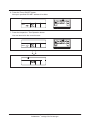
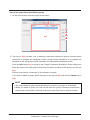
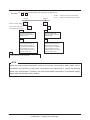
•• Its output pulse width must be 20 to 400 msec.
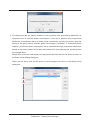
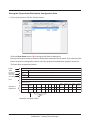
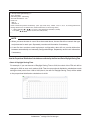
Pulse width diagram
100 msec or more
20 ~ 400msec
•• Its pulse oscillator must be semiconductor relay based.
Use of a watt-hour meter that does not comply with the above requirements would result in such
problems as follows:
•• If the output pulse unit supported by the watt-hour meter does not match the input pulse unit
specified as part of the pulse input port configuration, the results of power consumption
calculation may be much larger or smaller than the actual power consumption.
•• If the pulse oscillator is not semiconductor relay based, a single pulse may be falsely
recognized as more than one pulse due to contact chattering.
25
Commissioning Manual (PPD) EM11A027
DCM601A51 intelligent Touch Manager