1
12. Embedded Media Player
12.3.14.16 Matte
Overview
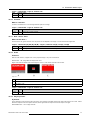
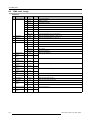
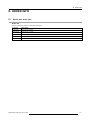
When Matte is selected, the matte selection is first applied to the layer and then the combination is made with the other layer.
Combination mode selection
Value
Default Action
216 - 231
Matte
12.3.15 Matte layer selections
Overview
•
Introduction
•
Color
•
Rings
•
Chess
•
Interference (C+C)
•
Interferences, Retro (C+C)
•
Interferences (R+C)
•
Interference, Retro (R+C)
•
Interference, Retro2 (R+C)
•
Interference (R+R)
•
Interference Retro (R+R)
•
Clouds
•
Flowers
•
Fog
•
Rain
•
Starfield
•
Gradient
12.3.15.1 Introduction
Overview
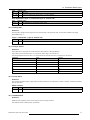
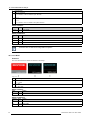
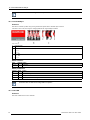
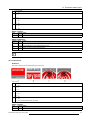
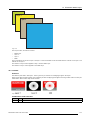
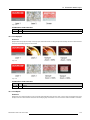
The possible patterns on the Matte layer are generated images on the basis of algorithms. These algorithms generate patterns and
textures using mathematics without the need to source media. Currently are included a simple color matte and some geometric
shapes.
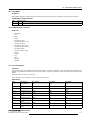
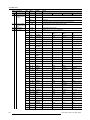
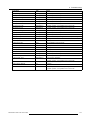
The Matte selection is done on channel 52.
The 3 parameters for the selection are set on channel 53, 54 and 55.
Channel 52
Value
FX Listing2
Par1 (ch53)
Par2 (ch54)
Par3 (ch55)
0-1
Color (RGB)
Red
Green
Blue
2-5
Rings
X = squeeze in X direction
Size
Anim
6-9
Chess
X = number of vertical bars
10 - 13
Interference (C+C)
Speed
Y = number of horizontal bars Edge X = amplitude in X
direction
Size
Color
14 - 17
Interference Retro
(C+C)
Interference (R+C)
Speed
Red1
Green1
Speed
Size
Color
Interference Retro Speed
(R+C)
Interference Retro2 Speed
(R+C)
Interference (R+R) Speed
Size
Color
Size
Color
Size
Color
Size
Color
18 - 21
22 - 25
26 - 29
30 - 33
34 - 37
Interference Retro
(R+R)
Speed
2. C = concentric, R = radial
R59770209 DML-1200 06/11/2009
111