1
FEATURES AND SERVICES
ACCESS must be used in conjunction with the AT&T STARLAN NETWORK Server
software (Version 2.0 or later). Installation software furnished with ACCESS requires
the STARLAN NETWORK client installation diskette in order to install ACCESS.
●
Communications Access Manager (CAM)
CAM is an MS-DOS applications program that provides an enhanced calling interface
and terminal emulation for PCs connected to System 25 or a STARLAN NETWORK.
This connection must be through a DLC or a STARLAN NETWORK that is, in turn,
connected to System 25 by a STARLAN CP. Refer to the Communications Access
Manager (CAM) Program feature description for a more detailed description of the
program.
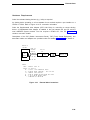
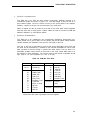
STARLAN INTERFACE Circuit Pack
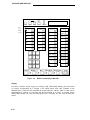
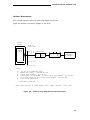
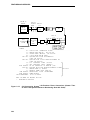
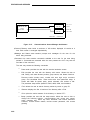
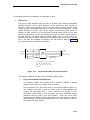
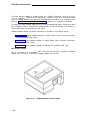
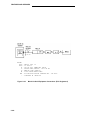
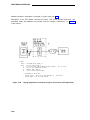
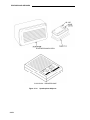
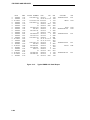
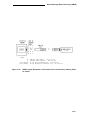
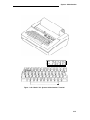
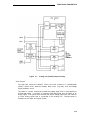
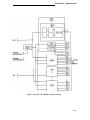
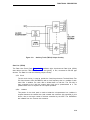
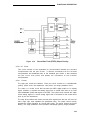
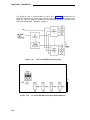
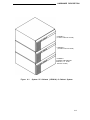
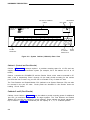
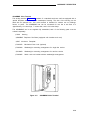
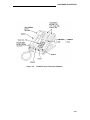
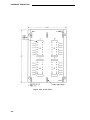
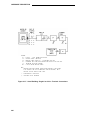
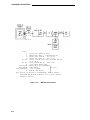
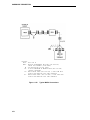
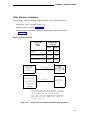
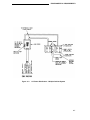
The STARLAN INTERFACE CP (ZTN84) requires a single modular connection to the
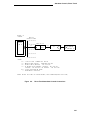
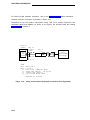
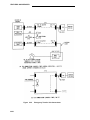
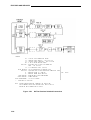
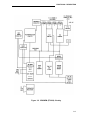
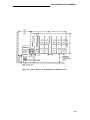
STARLAN NETWORK (see Figure 2-38). It provides an interface between System 25’s Time
Division Multiplex (TDM) bus and STARLAN NETWORK’s packet switched network. The
STARLAN CP provides four full-duplex data connections at speeds up to 9,600 bits per
second.
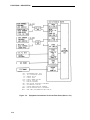
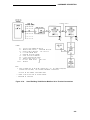
The STARLAN CP operates in two modes: Gateway Mode and Bridge Mode. Gateway mode
supports connections from System 25 data terminals to STAR LAN NETWORK UNIX® system
hosts, or from STARLAN NETWORK UNIX system hosts or client workstations to System 25
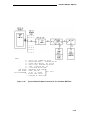
hosts or modem pools. In Bridge Mode, the STARLAN CP passes the STARLAN
NETWORK’s Universal Receiver Protocol (URP) through System 25 to a local or remote PC.
This is referred to as Bridge Mode and provides a through connection between PCs running
ACCESS and a STARLAN NETWORK. The proper mode (Bridge or Gateway) is autoselected by the system.
The STARLAN NETWORK View of System 25
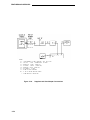
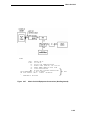
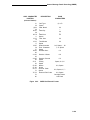
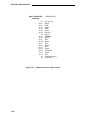
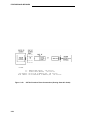
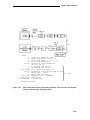
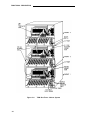
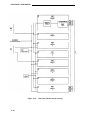
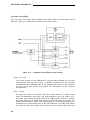
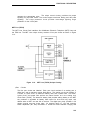
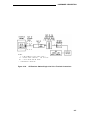
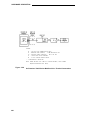
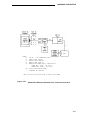
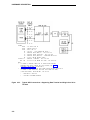
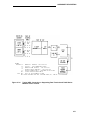
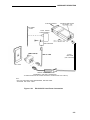
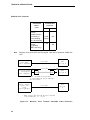
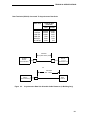
From the STARLAN NETWORK, the STARLAN CP functions like a STARLAN NETWORK
workstation equipped with a Network Access Unit (NAU). The NAU enables STAR LAN
NETWORK workstations and servers to access and exchange data over the network. Plug
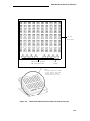
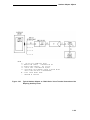
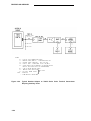
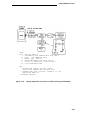
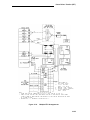
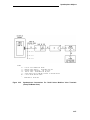
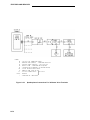
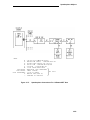
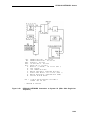
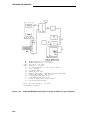
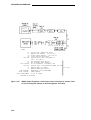
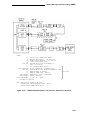
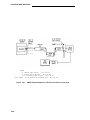
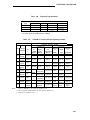
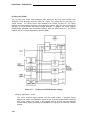
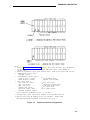
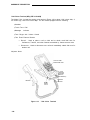
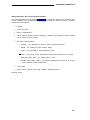
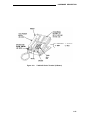
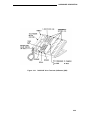
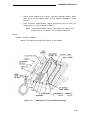
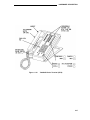
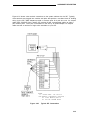
number 1 of the STAR LAN CP octopus cable should be connected to an “IN” jack on the
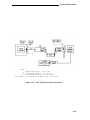
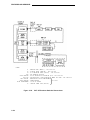
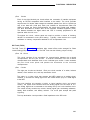
Network Extension Unit (NEU) (see Figures 2-39 and 2-40).
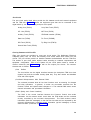
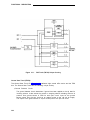
Calls from STARLAN NETWORK to System 25
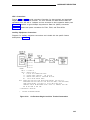
A STARLAN NETWORK workstation accesses a host computer connected to System 25
(either a local host or a remote host that can be reached using the Modem Pooling feature).
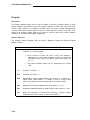
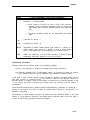
1.
The STARLAN NETWORK workstation loads CLIENT and NAUCOM and then CAM
software (discussed in the Communications Access Manager Program feature
description) and selects a directory entry for the host.
2. CAM communicates with the STARLAN CP to place the call.
2-284