1
3. NETWORK CONFIGURATION
3.1.Overview
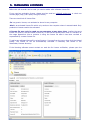
The application service uses a network interface card functioning in promiscuous mode, in order to
capture packets for the conversation recording. The host computer or the server need a network
connection to voice traffic, through a non-switched hub or through a SPAN port on a switch. For
more information about configuring a mirrored port on your switch, read the user manual of the
switch.
You can also visit the following links:
•
Configuring the Catalyst Switched Port Analyzer (SPAN) Feature:
http://www.cisco.com/en/US/products/hw/switches/ps708/products_tech_note09186a00
8015c612.shtml
The application works by monitoring phone traffic. There are two types of phone traffic essential
to recording:
•
signaling (call control), from phones or voice gateway to CallManager
•
audio streams (RTP), from phone to phone, or from phone to voice gateway
To be able to record calls, the application needs to intercept both types of traffic, call control and
audio streams.
For more information about network sniffing please read the Wireshark FAQ:
http://www.wireshark.org/faq.html
3.2.Implementation Options
There are two main options in configuring network monitoring:
1. Record only external calls. This is the easiest. All you need to do is to have the
CallManager and the voice gateway in the same switch and SPAN them to application
recording port. If you have them in different switches you need two monitoring NICs in
the recording application server, one for each switch. Make sure you are mirroring all
the CallManagers and voice gateways, including backup ones.
2. Record all calls, external and internal. For that you will need to have all the phones'
traffic monitored to the application recording port. That is, monitor all switches with
phones. Usually this is done by placing all the phones in a separate VLAN, and monitoring
that VLAN. Using a VLAN also has the advantage of discarding the general (PC) network
traffic, which can overload the monitoring interface in both the switch and in recording
application.
CallRecorder 6.1 Administrator's Guide10