1
PACS Administrator Manual
5. Number of messages ignored.
6. Number of messages with the wrong format.
7. Status of input (active or inactive).
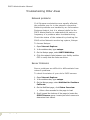
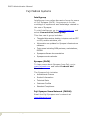
Checking System Status
Accessing the HIIS Router Monitoring Tool:
1. In Internet Explorer, navigate to http://
<servername>/hiis/performance.asp.
2. At Username, type synapseadmin.
3. At Password, type appropriate password.
4. At Domain, type <local>.
Viewing Messages
Pending messages
•
Click the Pending Messages link to view the
messages not yet filed into Synapse. The messages
remain in this queue until Synapse is able to process
them. Instances occur when messages from
Meditech are received faster than Synapse can
process them. Messages also queue here if the
Synapse database is down.
Destination rejected
Note: Rejected
messages do not
appear in
Synapse.
•
Click destination rejected to view messages
rejected by Synapse. These might include messages
with a medical record number, visit number, and/or
accession number already in use by another patient
in Synapse.
Failed translation
•
P A C S Ad m i n i s t ra t i o n / P a g e 2 1
Click failed translation to view messages that
failed translation based on the Fuji HL7
specification. These might include HL7 message
event types not supported by Synapse, or messages
with missing data such as the patient’s medical
record number or accession number.