1
8.4 THE SOUND LEVEL METER
Selecting Pressure as measured parameter gives your Multi-meter the functionality
of a Sound Level Meter. Three units are available: dBSPL, dBA and dBC. dBSPL is a direct
reading of the sound level, relative to the reference pressure of 20uPa. Remember that
CLIOwin needs to know your microphone sensitivity to carry out this measurement
correctly (see 5.4.4). dBA and dBC are frequency weighted measurements and are
usually requested to assess, for example, environmental noise or any human related
annoyance. In these two cases the program post processes the measurement, applying
the appropriate frequency filter as described in IEC-651 norms.
8.4.1 CAPTURING THE MICROPHONE SENSITIVITY
When measuring pressure, it is possible to calibrate your measuring chain if you have
a pressure reference available like an acoustic calibrator. It is possible to calibrate
both channels.
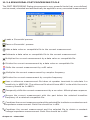
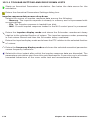
In this situation, pressing the
button will prompt the instrument to capture a pressure
reading as reference for the reading channel; it expects a reference pressure level at
its input, as furnished by the vast majority of acoustic calibrators; it is possible to input
its value cliking on the drop down menu; the default value is 94dB. As a result of this
procedure the program will calculate the sensitivity, in mV/Pa, of the microphone front
end, and store it in the CLIOwin settings.
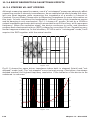
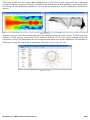
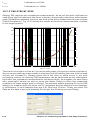
Figure 8.6
If you press the button's drop down you will see a reference to the actual Microphone
sensitivity. In this case, differently from the case of Voltage measurements, the default
measurement is 18 mV/Pa, which is a rough average of Audiomatica's microphones
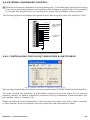
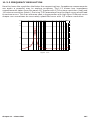
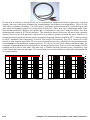
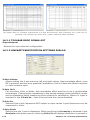
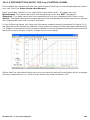
MIC-01 and MIC-02 sensitivity. Let's see how to capture the channel A microphone
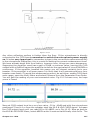
sensitivity. In Figure 8.7 you see a Bruel & Kjaer 4231 acoustic calibrator fitted to a MIC02 microphone.
Figure 8.7
Chapter 8 - Multi-Meter
89