1
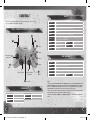
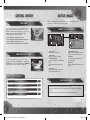
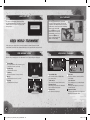
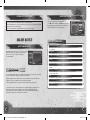
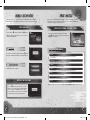
CONTROLS BATTLE The following shows the basic controls for use with the Xbox 360 controller. For more details, refer to page 3 and after. BASIC CONTROLS FOR XBOX 360 CONTROLLER ] x ` _ Left stick/Left stick button L < Button C l Directional Pad Right stick/Right stick button Y Button X Button B Button A Button > Button Xbox Guide Scroll Up/Down B Button Cancel/Back A Button Confirm/Skip messages Scroll Up/Down > Start Button Skip movie/Save 208_14_Naruto_Storm_Revolution_PC_GB_OTHER.indb 2-3 B Button Attack A Button Jump (press again mid-jump for double jump) X Button Shuriken Y Button Chakra load (press and hold to charge chakra) l D-Pad C: Guard Break Attack VZ/X: Use Ninja Tools C: Move Camera, Target Lock-On, Flick Awakening _ Button Support Ninjutsu ` Button Support Ninjutsu ] Button Substitution Jutsu x Button Guard > Button Pause Menu FREE MOVEMENT L Left stick Move B Button Action (talk, break, investigate, etc.) A Button Jump C Right stick Move camera (depends on area)/Reset camera (depends on area) > Button Start Menu < Button Toggle area map on/off The Title also supports Keyboard and PC Gamepads. User can select Keyboard from the Controller settings and assign the specified keys. The PC Gamepads work in the similar fashion as the Xbox 360 controller. However the button prompts will always display Xbox 360 controller icons regardless of the device selected to play the game. L Left stick 2 Move Note: CHOOSE/SELECT l D-Pad L Left stick Also an option for Graphic settings is available to select the desired resolution, aspect ratio, Supersampling and also start the game in Windowed mode. The options ‘Controller settings’ and ‘Graphic Settings’ are available on the Launcher screen. 3 13/08/14 12:00