1
Trouble Shooting Guide:
1. Plays no sound at all.
a. File numbers are not assigned properly.
b. The system is in the wrong mode due to missing or incorrect configuration file.
c. If the flash card is inserted when the power is on, the system may not work. To fix this problem, turn the power off for a few
seconds to reset the system.
d. Your CF card is formatted in FAT32. You need to re-format the card in FAT16
e. The output volume may have been set too low. Try turning it up.
2. Plays a wrong File.
a. File numbers are not assigned properly.
b. The system is in the wrong mode due to missing or incorrect configuration file.
3. Plays trashy sounds.
It’s probably due to unsupported file formats such as 8-bit resolution or ADPCM coding. Re-digitise or convert the file into a
supported format.
4. Playback speed is too slow/fast.
Unsupported sampling rates may result in wrong playback speed. Re-digitise or convert the file into a supported sampling rate.
5. Plays a popping/bursting noise once in a while.
The speed of the flash card is too slow. Use a faster flash card or convert the file to a lower sampling rate
Specifications
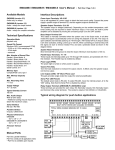
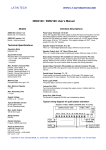
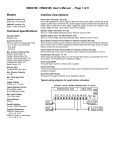
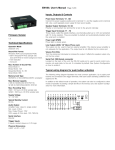
Operation: playback only
File Format: Windows, .wav, PCM, mono, 16-bit, 22.05 or 44.1 KHz
Maximum Number of Sound Segments: 512
Memory Type: CompactFlash card (type 1, 5V)
Supply Voltage: 10 ~ 32 VDC
Audio Output: 40W (8 ohm load) with 32V 1,5A power supply
Dimensions: 164 x 125 x 48mm