1
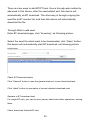
For finished BT download task, you can check it in the corresponding download
path.
BT corresponding settings
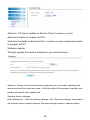
Click “
” to enter BT corresponding settings.
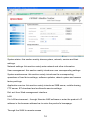
BT corresponding settings include server port, upload/download restriction,
maximum user quantity for using seed and other options.
Server port setting is for setting the port used by BT program, system presets
6881. Port range is 1025~65535.
Upload restriction is for setting the fastest upload speed, 0 means no restriction,
which can according to your situation to set, generally suggest setting about 25.
Download restriction is for setting the fastest downloading speed, 0 means no
restriction. For getting the best download speed, you can set it as 0.
When BT downloading, we can mostly add 32 seeds, and download 4 seeds at
the same time. When the former seed download finished, it will automatically
download the next one.
Click “
” to enter BT email setting to do corresponding settings for the email.
31