1
BandSel User’s Guide
7
SECTION 2
INSTALLING AND RUNNING BANDSEL
If there are problems installing or running BandSel on your
computer, call Thin Kerf Technologies at 1-800-6363-TKT or
email us at thinkerf@thinkerf.com.
System Requirements
Pentium 75 MHZ or higher processor
Operating system MS-Windows 95/98
Hard drive 10 Mb free space
8 Mb RAM minimum, 16 Mb of RAM recommended
CD-ROM drive
VGA or higher resolution monitor, Super VGA recommended
(Minimum 600 x 800 resolution)
Installing BandSel
1.
2.
3.
4.
Close all applications currently running on Windows.
Insert the BandSel CD into your CD-ROM drive.
Open Windows Explorer.
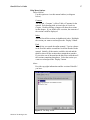
In Explorer, double-click the drive for your CD-ROM to
see what is on the CD.
5. On the CD, find the file: "setup.exe"
6. Double-click the file and the setup routine will start.
7. Please follow the instructions on the screen to finish
setting up BandSel.
Thin Kerf Technologies Inc.