1
2.3 Software setup
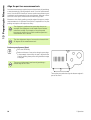
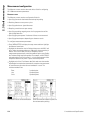
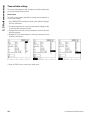
Stage squareness calibration
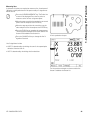
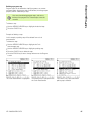
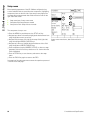
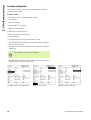
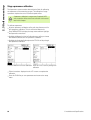
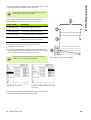
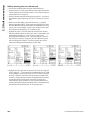
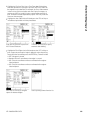
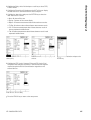
The Squareness screen contains data and choice fields for calibrating
the squareness of the measuring system. The calibration of stage
squareness requires the use of a certified square artifact.
Squareness calibration is unnecessary if optional NLEC
error correction will be used. Error correction is discussed
later in this chapter.
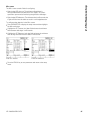
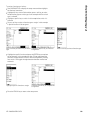
To calibrate squareness:
U
U
U
U
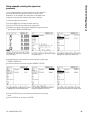
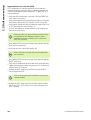
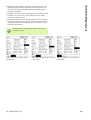
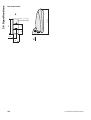
Align the squareness calibration artifact with the reference axis for
the squareness calibration. This axis will be the Master axis.
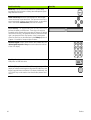
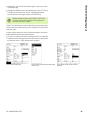
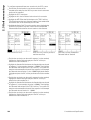
Press MENU/SETUP to display the setup menu and then highlight
the Squareness menu item.
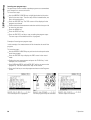
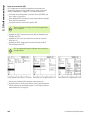
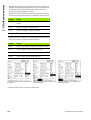
Highlight the Master Axis choice field and press a soft key to choose
the reference (Master) axis for squareness calibration.
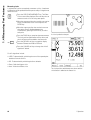
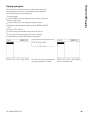
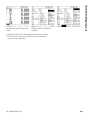
Highlight the Angle data field and press the TEACH soft key to begin
the squareness calibration.
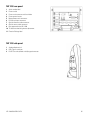
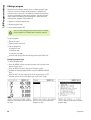
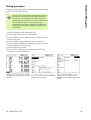
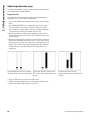
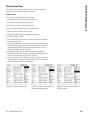
Choose a Master Axis for the calibration Press the TEACH soft key to begin the
calibration
U
U
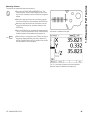
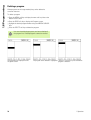
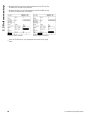
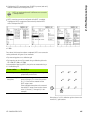
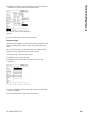
Follow instructions displayed on the LCD screen to complete the
calibration.
Press the FINISH key to save parameters and return to the setup
menu.
98
2 Installation and Specifications