1
Placing and Ending Calls
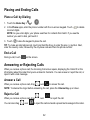
Place a Call by Dialing
1. Touch the Home Key >
>
.
2. In the Phone apps, enter the phone number with the on-screen keypad. Touch
to delete
incorrect digits.
NOTE: As you enter digits, your phone searches for contacts that match. If you see the
number you want to dial, just touch it.
3. Touch
below the keypad to place the call.
TIP: To make an international call, touch and hold the 0 key to enter the plus (+) symbol. Next,
enter the country code, followed by the city/area code and then the phone number.
End a Call
During a call, touch
on the screen.
Answering or Rejecting Calls
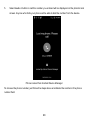
When you receive a phone call, the Incoming Call screen opens, displaying the Caller ID or the
information about the caller that you've entered in Contacts. You can answer or reject the call, or
reject it with a text message.
Answer a Call
When you receive a phone call, drag
over
to answer the call.
NOTE: To silence the ringer before answering the call, press the Volume Key up or down.
Reject a Call
When you receive a phone call, drag
You can also drag
over
over
to reject the call.
to reject the call and send a preset text message to the caller.
32