1
User manual - Gemini Cut Plan
Plan
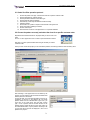
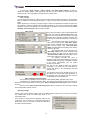
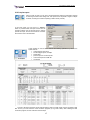
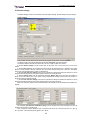
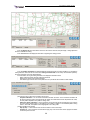
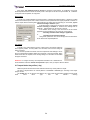
Plotter select - for the user that have various types of plotters, in plotter settings can be saved a list of the
plotters. Before starting the plotter printing the user must select the plotter on which the marker will be printed.
This setting will be automatically saved and when a new Export to plotter will be done in the plotter list will be
displayed the last used plotter.
Number of copies - before starting the plotter printing you must fill in the field next to this option, the
number of copies you want to realize the printing.
Marker trim - the marker can be printed either on the total length or on certain portions. To print the marker
on total length the user must check both the left end and the right end boxes. If you want to print only a portion
both the boxes for “left end” and “right end” will be unchecked and in the upper field will be typed the distance
from where the printing will start and where it will end.
After the settings were made it will be pressed on the button Export file.
2.14 Cutter settings
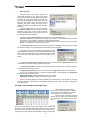
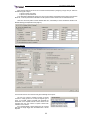
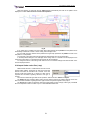
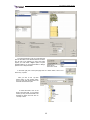
The window Settings Cutter includes the next tabs: cutter settings, general settings and layer settings.
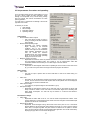
Cutter settings
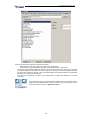
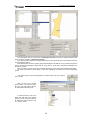
In this window it will be set the type of file that will be exported to the cutting machine: ISO CUT, HPGL and
Eastman CMD.
To select the type of file it will be selected from the field “Cutter list” one of these options.
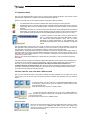
. The buttons existed in this field are used to add, remove or modify a cutter from this list.
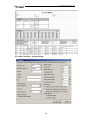
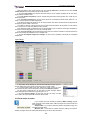
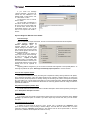
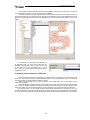
In the field Cutter settings it will be set the origin for the cutter, this it can be set for any corner of the
marker.
In the field file creation it will be defined the saving path of the exported file. If it is pressed on the button
Browse it will be opened a window, were the user can choose another saving path of this files. The default
saving path of the exported files for cutting it is D:\Cut\Active.
In the field File extension settings, when will be checked the message Automatic file extension, it will be
assigned automatically after the saving was made the extension for each type of file.
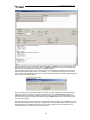
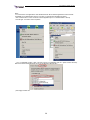
In the field Tool settings, can be added different kind of tools used at the cutting process, so when it will be
pressed the button Add tool it will be opened a window, where the user will name the type of tool that will use,
and will define the overcut and the speed of it.
In the field Export type it will be checked automatically the export type, after it was made the section of one
of the options existed in the field Cutter list.
In the field Speed cutter it will be defined the void speed of the cutter.
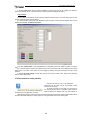
When from the list of cutters it will be selected ISO CUT, automatically it will be activated the tab ISO CUT
RS274D settings.
25