1
www.cleantouch.com.pk
School Management System 3.0 (Full)
User Manual
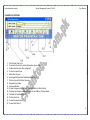
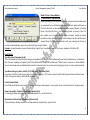
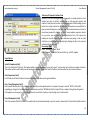
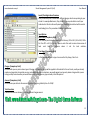
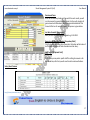
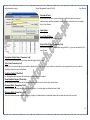
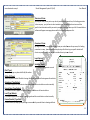
Entry # [Compulsory Field]
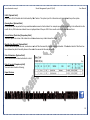
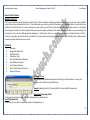
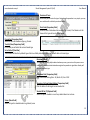
This is the sub main field of this form. This number will be created automatically as per last record in above Serial #. Series of Entry #will restart on
each new Serial no. The number will also used to delete or edit existing entries. Press [F5] to view all transaction as following sheet related to
above serial #.
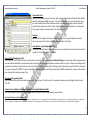
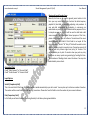
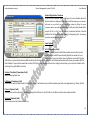
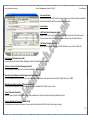
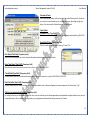
Account Code [Compulsory Field]
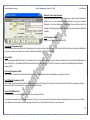
Here you will describe the account of donator, other income or etc. which from you have received the amount. To bring the List of existing
accounts press [F5] or click on "Magnifier Button". All the accounts which are added through "Accounts Master File" will appear in the list.
Navigate through arrow keys within the list or you can also press the first word of account title to make it selectable quickly. e.g. ‘A’. You can also
press as maximum as starting words depends on your typing speed to quickly setting focus the accounts e.g. ‘Arif’. To select the account press
Enter Key or Double Click on Account. When you will select account from list or enter the code of account, name / title will appear automatically
as it is written in Accounts Master File.
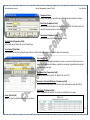
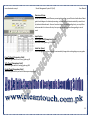
Narration/Description [Optional Field]
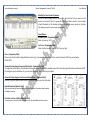
Here you can write your comments, remarks related with transaction which will help you to understand the transaction when you will check
Account Ledger of Cash / Bank / Account.
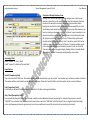
Amount: [Compulsory Field]
In this column you have to enter received amount.
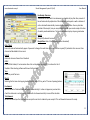
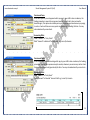
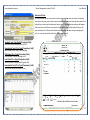
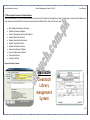
After all above information click on "Small Save Button" (Top) to save the entry (Not Transaction), after click that button software will generate
next entry # and make all information below to the entry # blank so you can add another receiving. When you have entered all receiving under
single S#, then click on "Big Save Button" (Bottom) to save Transaction. All button (Top) will be used for single entry and buttons (Bottom) will be
used for transaction.
Total Amount
This column will be calculated automatically as per total of amount described in each receiving of above serial #. This column is unchangeable.
9