1
3-3. Chassis Cover
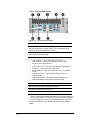
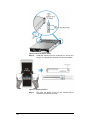
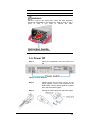
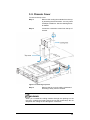
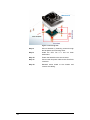
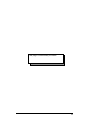
To remove the top cover:
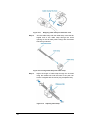
Step 1.
Remove the cooling fan modules from the top
by loosening the hand screws. You may need
a Phillips screwdriver. See the drawing below
for details.
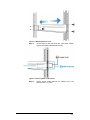
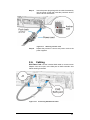
Step 2.
Loosen the 4 retention screws from the top of
chassis.
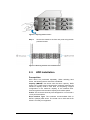
Figure 3-5: Removing Top Cover
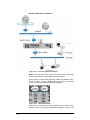
Step 3.
Remove the top cover by sliding it backward
and lifting it away from the chassis.
WARNING!
When you re-install the cooling modules through the openings on the
top cover, carefully and gently lower them into the module bays. Do not
drop them into. Doing so can damage the connectors.
45