1
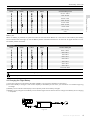
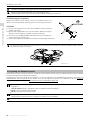
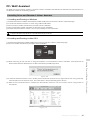
PC / MAC Assistant
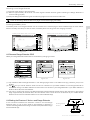
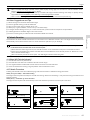
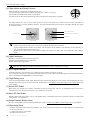
Firmware upgradable items
Upgrade link
Current firmware version
Figure 113
* This image is for reference
only. Please refer to the
actual user interface.
An internet connection is required to upgrade the Phantom 2 Vision+ firmware.
DO NOT power off until the upgrade is finished.
If the firmware upgrade fails, the Flight Controller will enter a waiting for firmware upgrade status automatically.
If this happens, repeat the above procedures.
Firmware upgradable items: (1)Flight Controller (2)GPS (3)5.8G Receiver (4) Main Board (P330CB) (5)Battery (6)
Gimbal IMU
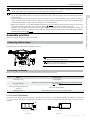
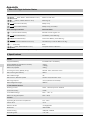
2.3 Using the Phantom RC Assistant
Use the Phantom 2 Vision+ Assistant to install PHANTOM RC Assistant on your Windows PC or Mac, and then follow the
below steps to configure the Remote Control.
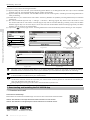
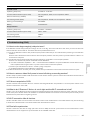
Using Assistant
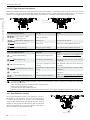
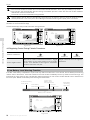
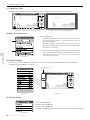
Figure 114
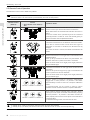
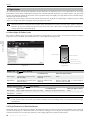
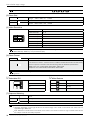
(1) Turn off the Remote Control and find its Micro-USB slot.
(2) Power on PC and Remote Control then connect Remote Control to the PC with a Micro-USB cable. DO NOT
disconnect until configuration is finished.
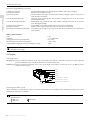
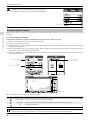
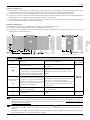
(3) Run the PHANTOM RC Assistant and wait for the Remote Control to connect to Assistant. Watch the indicators
on the bottom left of the screen. When connected successfully, the Computer Connection status is
and Data
.
Exchange Indicator blinks
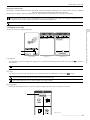
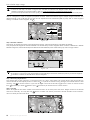
(4) Finish configuration in the [Main] page.
(5) Finish upgrade in the [Info] page if necessary.
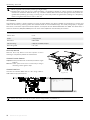
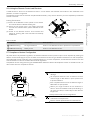
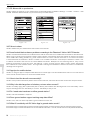
Language swap
Main page
Firmware upgrade,
Account, Software version
Data Exchange Indicator
Computer Connection status
Figure 115
*This image is for reference only.
Please refer to the actual user
interface.
© 2014 DJI. All Rights Reserved.
47