1
VX8700
Quick Start Guide
Getting
Music
Playing
Music
Bluetooth®
Pairing
Taking a Picture/
Recording a Video
Sending Pictures
via Bluetooth
www.LGUSA.com
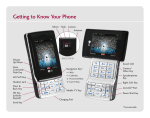
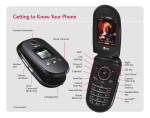
Getting to Know Your Phone
microSD™ Port
(behind battery)
Camera
Web*
Left
Soft Key
Volume
Up/Down
Picture &
Video*
Right
Soft Key
Clear &
Back Key
OK Key
Send Key
Voice
Command/
Memo Key
Charging/Headset
Adapter Port
Calendar*
Voicemail Key
Vibrate
Mode Key
* Customizable.
** Speakerphone feature is only available while a call is in progress.
Speakerphone**
Get It Now*
Power/
End Key
Camera/
Video Key
Getting Music
Walkin’, talkin’, rockin’. Transform your wireless phone into a portable
music player, then expand your collection with the Verizon Wireless
music catalog.
V CAST Music
1. Press right on the Navigation Key, select Music & Tones (1),
then V CAST Music (1) to download new music.
2. Choose from over 1,000,000 songs! Downloaded songs
are stored in My Music.
Sync Music from PC to Phone
1. Connect your phone to your PC with an optional USB cable.*
2. Press right on the Navigation Key, select Music & Tones (1),
then Sync Music (6) to sync music from PC to phone. USB cable
and Windows Media Player 10 are required.
*Sold separately
Playing Music
The VX8700 doesn’t miss a beat with its built-in music player.
You can store tons of music on an optional microSD card* and even
listen to them in stereo sound through a Bluetooth headset!
1. Press right on the Navigation Key, select Music & Tones (1).
2. Select My Music (4), choose a category, then press
to play.
3. Use the side Volume Keys
to adjust volume when
a song is playing.
4. Press the End Key to exit the music player.
*Sold separately
Note: To turn on Music Only Mode (RF off except Bluetooth), press right on the Navigation Key,
select Music & Tones (1), press the Left Soft Key for Mode, select On and press
.
Bluetooth Pairing
Enjoy hands-free entertainment and communication in the car, office,
or at home with Bluetooth accessories, like a Bluetooth stereo headset
for listening to music. Get wire-free convenience up to 30 feet away.
1.
2.
3.
4.
Set your Bluetooth accessory into pairing mode.*
Press
, select Settings & Tools.
Select Bluetooth Menu (3), then Add New Device (1).
If Bluetooth is set to off, you will be prompted to turn power on.
Select Yes and press
.
5. Press
, and the phone will now search for the accessory. Once
found, highlight it and press
to pair.
6. Enter the passcode (typically “0000” - 4 zeroes) and press
.*
7. Press
to connect with the device.
*Refer to the user manual of your Bluetooth accessory to activate pairing mode
and for the passcode.
Note: Bluetooth accessories sold separately. Phone does not support
all Bluetooth OBEX profiles. For vehicle/accessory compatibility, go to
www.verizonwireless.com.bluetoothchart.
Taking a Picture/Recording a Video
Shooting photos on-the-fly has never been easier with the 2.0
megapixel camera. When you need to capture all the action, get it
with live video and share it all instantly with Picture/Video Messaging.
1. To activate camera mode: With the flip open, press the side
Camera/Video Key
.
2. To activate video mode: With the flip open, press and hold
for 2 seconds.
3. Press left or right on the Navigation Key to zoom. Press up
or down to adjust brightness. Press the Right Soft Key to adjust
camera/video options.
4. Press
to take a photo or record a video. Press
to
stop recording.
5. Press the Left Soft Key to save or
to send.
Note: To take a self-portrait, open phone and press
Then close phone, press
and press
again
to take the picture.
.
Sending Pictures via Bluetooth
1.
2.
3.
4.
Press left on the Navigation Key, and select My Pictures (3).
Highlight an image and press the Right Soft Key for Options.
Select Send via Bluetooth.
Select a Bluetooth device that supports this feature, and
press
to send.
5. If Bluetooth is off, select Yes (1) and press
.
Optional Accessories
Accessories for convenience and fashion are available at www.VerizonWireless.com.
Bluetooth Headset
Bluetooth Stereo Headset
Swivel Holster
Portable Stereo Speakers
Extended Li-Ion Battery
(1,500 mAh)
Portable Battery Charger
©2007 LG Electronics, Inc. All rights reserved. All other trademarks are property of their respective owners. All phone images are simulated.
The Bluetooth® trademark and logos are owned by the Bluetooth SIG, Inc. and any use of such marks by LG Electronics is under license.
VX8700QSG/VERIZON