1
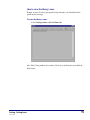
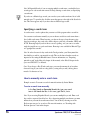
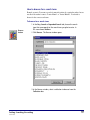
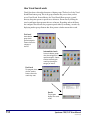
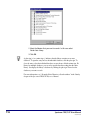
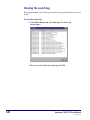
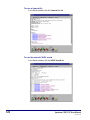
4 If you know the first few letters of the search term, type them in
the Browse for box. In this case, type Martin. The program
scrolls to the first search term that matches the letters you
enter.
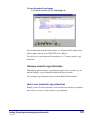
5 Use the scroll bars to move up and down through the list of
search terms. When you find the desired search term, select it.
Then click Return Item.
Browsing is not available for Material Type or Copyright Date searches. For information
about the Browse window, see "About the Browse window" in the Catalog chapter of the
Spectrum CIRC/CAT Reference Manual.
Searching with the See Also feature
This feature may be unavailable—depending on whether your library installed the
Spectrum Cross-Reference Words Database (sold separately) and on how the catalog is
set up.
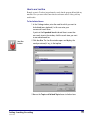
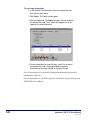
You can look up and implement alternate search terms by using the Catalog window’s
See Also button. A See Also word, also called a cross-reference word, is a catalog key
word that’s related to another catalog key word in some way. The related words can be
synonyms (mean the same or similar), homonyms (sound the same), and so on. This
feature helps you find different search terms if your first search was unsuccessful, and
lets you see other words that are related to the search term you have in mind.
Before using See Also
Before you can use the See Also feature, you have to perform some steps:
Build key words. Make sure the "Build key words" option is selected whenever you
import material records. When you select this option, the program creates the database
connections necessary to search for materials in the catalog by key words.
Run Spectrum Cross-Reference Words Database. This program, which is sold
separately from Spectrum CIRC/CAT, matches possible See Also words from its See
Also database with the database of key words created from your own collection. For
more on the Cross-Reference Words Database, contact Sagebrush’s Sales Department at
1-800-533-5430.
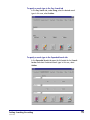
Activate See Also searching. Choose Setup > Catalog from the Winnebago menu. In the
Catalog Setup window, click the Search Window tab and then select Cross-Reference for
the catalog’s Easy Search and/or Expanded Search tabs.
98
Spectrum CIRC/CAT User Manual
SCC5um1200kh