1
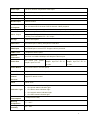
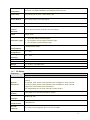
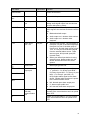
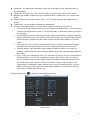
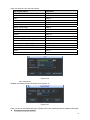
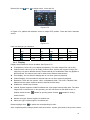
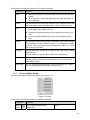
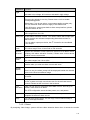
Record
REC
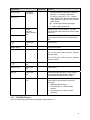
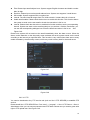
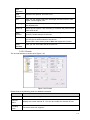
Manually stop/start recording, working with direction keys
or numeral keys to select the recording channel.
Window switch
Mult
Click it to switch one-window/multiple-window.
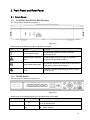
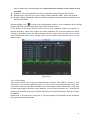
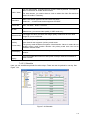
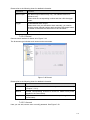
To connect USB2.0 storage device, USB2.0 mouse,
burner and etc.
For 4/8/16 channel device: indication light on means that
the channel is in recording.
USB2.0 port
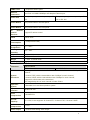
Record light
1-16
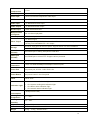
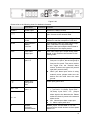
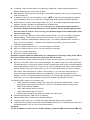
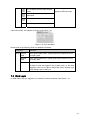
Power
light
Power
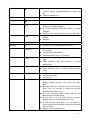
Power indication light.
HDD
abnormal
indication light
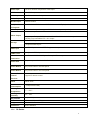
HDD
HDD error occurs or HDD capacity is below specified
threshold value, the light becomes red to alert you.
Network abnormal
indication light
Net
Network error occurs or there is no network connection,
the light becomes red to alert you.
IR Receiver
IR
It is to receive the signal from the remote control.
indication
50 Series
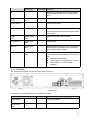
2.1.3
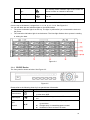
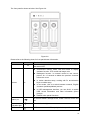
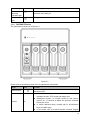
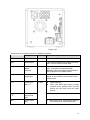
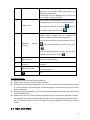
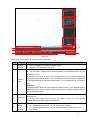
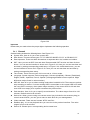
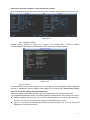
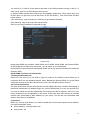
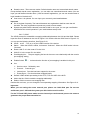
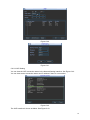
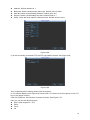
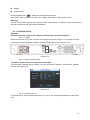
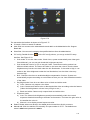
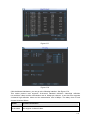
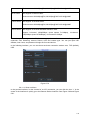
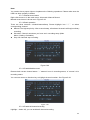
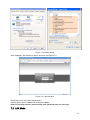
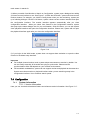
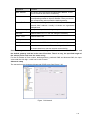
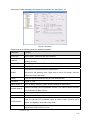
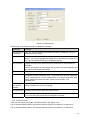
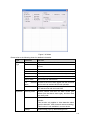
The front panel is shown as in Figure 2-3.
Figure 2-3
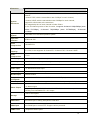
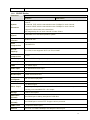
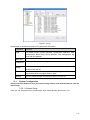
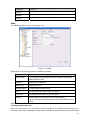
Please refer to the following sheet for detailed information.
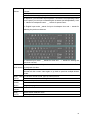
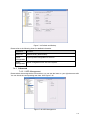
SN
1
Name
Power button
Icon
Function
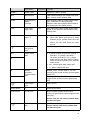
Press it once to turn on the device.
Press it for a long time to turn off the device (Usually
we do not recommend).
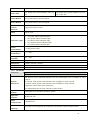
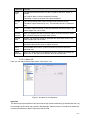
2
System
HDD
Indication light
The blue alarm light is on when there is no disk, disk
is abnormal or disk space is lower than a specified
threshold.
3
Alarm
light
The alarm indication light becomes red once an
alarm occurred.
indication
19