1
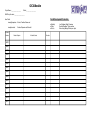
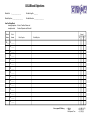
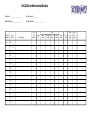
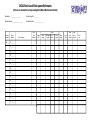
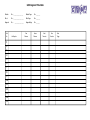
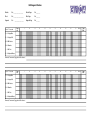
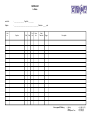
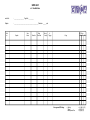
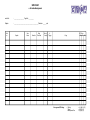
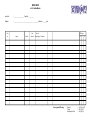
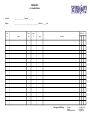
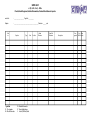
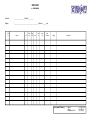
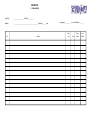
i. Computer Programmer who understands graphics formats; adaptors and can convert files from any format to any other desired format. Capability to write file loaders, converters, capture, save & edit software in Visual C++ or equivalent desirrable. e. Animation & Modelling Experts Should be able to take an already generated Still, or create/generate a fresh still or generate a wireframe using a 3D Modelling package and animate it over a pre specified number of frames rendering this with lights, camera movement and other aesthetic & visual elements without failing in achieving preset communicative objectives. Most of the hardcore engineers with a fundamental understanding of the engineering workprocesessess are from this group. f. interactivity Visualiser. To be able to guide everyone else in the team to meet communica tion objectives. This could include; the mood and emotion to be se through camera positioning, lighting, choice of colour, mix of audio, video, animation or other components, choice of icons. Project Leader could be from this group of from the Authoring Group. The Systems Analyst for preproject Design & Specifications and postsupply Training & Customer Support should be from this group. Use the GiCA worksheets to breakdown the Objective into entry sheets for GiCA. g. Authoring Computer Programmer with good basics in all other software mentioned herein. Must have worked with graphics based environments. Must understand OOP, GUI's, API, OLE and DDL concepts; Program flowcharting. Project Leader could be from this group of from the Authoring Group. Actual operators and managers of the GiCA software tool. GiCA Specifications GiCA includes a i). Methodology; (ii) Systems and (iii) Software Tool; which is unique and works as follows : 1. The Application or Knowledge Specialist breaks down the overall task, job or project into Modules and Blocks. (Blocks in GiCA terminology are sub modules). Each block has an objective set by the Application Specialist. This is put onto a set of GiCA forms supplied with the purchase of each GiCA Licence. 2. The above information is now taken by a Multimedia Specialistwho breaks the above Blocks into Segments (equivalent to a film or video 'shot'). The segment may include 1 or more units or subsegments. A unit or subsegment is a simple video alone clip, an effect, a unit of conitnouse background voice or a sentence spoken by an individual. 3. All the above information is not entered onto the GICA software by the GiCA Dataentry Operator. At this point, 'Edit Lists' are available to cross check earlier stages of work and to ensure authentic data entry. 4. Once satisfied, we now generate 'Specialist Task Assignment Lists'. ie. a list of all the video clips we need, that are to be handed over to a cameraman; a list of all the effects that are required; which are the screens that need to be made interactive; which of the animation clips requires some background noise or a female voiceover; etc., etc. etc. 5. Depending on the 'Specialist Skill Levels' available to you, you could decide : a. Which should be done inhouse, which to be given out. b. Time & Cost estimates c. Specifiy required quality levels d. To get units back on floppy or more familiar media. e. Whether 'finishing' will be done inhouse or externally. 6. Once in; 'Quality Specifications' can be printed out and all incoming units can be qualityfactored. 7. Interactivy, Integration, Storage and Authoring can now be started. The methodology also determines files names, directories etc., to help you manage the 10's of 1000's of files that can emerge form even a very small multimedi project; besides keeping track of filename extensions, position on screen, size, compres sion ratios etc., etc. 8. On completion and field testing; the package can be easily ported to CDROM premastering systems, from which single or multiple copies can be burned with ease.