1
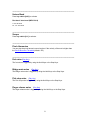
Play Key (Hold Key and Stop Key)
Hold key
When the original note is released while the hold key is held down, the original note is
stopped and the selected samples are triggered.
Stop key
The original note is stopped and the selected samples are triggered when the stop key is
pressed.
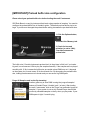
How to customize the Play Keys...
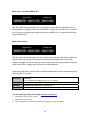
Click the pull-down menu (‘options…’) and select ‘play keys’,
and click the button to assign
the noise to the Play Key.
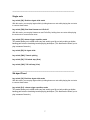
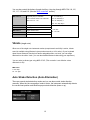
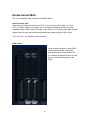
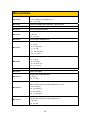
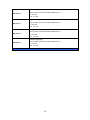
For example, in the case of the picture above;
-
If you release the original note while G#0 is held down, the original note is stopped and
the finger release noise and the fret noise are triggered.
If you release the original note while A0 is held down, the pick stop noise and bridge
mute noise are triggered.
The picking noise is triggered when A#0 is pressed,
The picking noise and the fret noise are triggered when B0 is pressed.
11