1
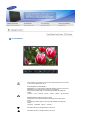
Menu
Description
Play/Stop
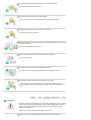
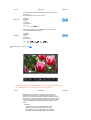
Implements the natural color chroma according to the display
screen. Automatically adjusts to the display screen.
Can improve the skin tones.
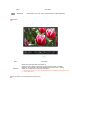
MagicColor
1) Off
2) Intelligent
Enhance natural color except skin tone.
3) Full
Displays both natural skin tones and enhanced colors.
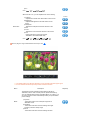
4) Demo
Displays the improved image on the left and the original on
the right.
- Not available in Dynamic CR Mode
MENU →
Color Tone
→
→
,
→
,
→
→
,
→
→
,
→
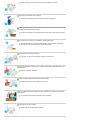
Gamma correction changes the luminance of the colors with
intermediate luminance.
Increased Mode number - Displays the full screen more
naturally and softer and sharpens the dark scale.
Decreased Mode number - Displays the full screen sharper
and improves the bright scale.
- Not available in Dynamic CR Mode
- Available in Analog/Digital(PC) Mode Only
MENU →
6-Color
→
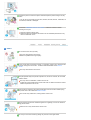
Adjusts color tones to the preference of the user.
Analog/Digital(PC)
: Cool4 / Cool3 / Cool2 / Cool1 / Normal / Warm1 / Warm2
Digital(Digital DVD)/AV/S-Video/Component
: Cool2 / Cool1 / Normal / Warm1 / Warm2
- Not available in Dynamic CR Mode
MENU →
Gamma
,
,
→
→
,
→
→
,
→
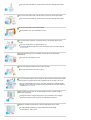
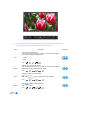
6 types: Red, Green, Blue, Cyan, Magenta and Yellow - Can
adjust each of them to the preference of the user.
1) Saturation
Adjusts the color saturation.
2) Hue
Adjusts the color tones.
3) Reset
Returns to the original screen mode.
- Not available in Dynamic CR Mode
MENU →
PIP (Analog / Digital : PC)
,
→
→
,
→
→
,
→
→
,
→
→
,
→
Saturation
Hue
Reset