1
Zaxcom ERX2TCD
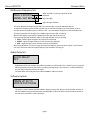
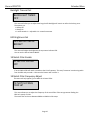
IFB Receive Frequency Set
FREQ: 2.403 RX
SIGNAL: A01 B01
Extended Menu
When the ERX is receiving a signal RX will be
displayed.
Signal strength.
Signal strength indicator
This menu displays the frequency the ERX’s will receive audio, time code and Meta data on.
To adjust the frequency press the INC and DEC keys to match the frequency your transmitter is set to.
You can choose any frequency form 2.403 to 2.475 – we recommend using even numbered frequencies.
The signal represents the strength of the ZaxNet signal that the ERX is receiving.
When a valid signal is received, RX is displayed on the right side of the top line.
If you pressing the TIME CODE key while on this page the ERX will cycle through:
• FREQ – Overall signal strength of all antennas are displayed.
• FRONT – Signal strength of only the front antennas are displayed.
• SIDE – Signal strength of only the side antennas are displayed.
When using AutoScan or if you are using the alternate frequency option the word “signal” on the bottom
line of this menu will show the actual frequency that the ERX is receiving on.
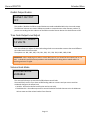
Audio Delay Set
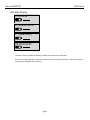
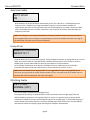
AUDIO DELAY:
OFF
Audio delay allows you to adjust the audio output delay in milliseconds. This is useful if you are using the
ERX for personal monitoring and there is a video processing delay in the monitors – so with audio delay
you can delay the audio to match the video.
The audio delay can be adjusted from 5MS to 400MS in 5MS increments.
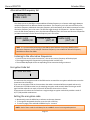
Software Update
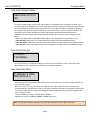
PRESS UP 5X TO
UPDATE SOFTWARE
This menu is used to update the ERX software. When you press the INC key 5 times the ERX will start to
look for software being transmitted from an IFB100/200 or TRX transmitter. See the firmware section at
the end of this manual for more information.
Page 7