1
Horizontal PDU, remote PDU User Manual
controlling menu, individual output unit name, individual current load, total current load of
individual RPDU, sensors monitor information of individual RPDU and other parameter
configurations.
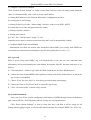
(1) Login Method
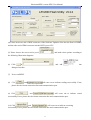
A. Run IE (Internet Explorer) and input the IP address of the RPDU, then input the login name
and password on Login Dialog Interface, and finally click “yes” button to enter the HTML Interface
of RPDU system.
B. Users have three chances to login, further wrong login name or password input, the system will
automatically login out the Login Dialog Interface; users have to repeat operation step A.
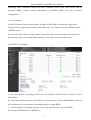
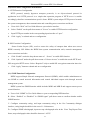
(2) OUTLETS Controlling
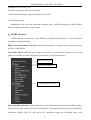
A. The above RPDU Controlling Interface can be accessed by clicking “Device Control” on User
Guide Menu.
B. Under the pull-down menu of “Select Device” lists the names of daisy-chained RPDU, users can
click and choose to open the power controlling interface of target RPDU.
C. Opened Interface will display the name, version No. and series No. of present RPDU.
For example: RPDUH B Series (RPDUH B).
15