1
Edit Chart Names
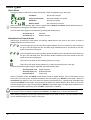
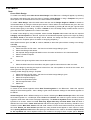
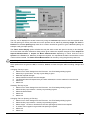
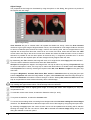
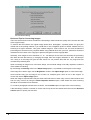
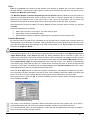
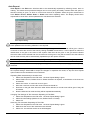
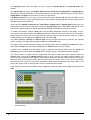
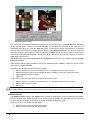
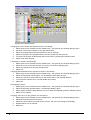
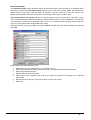
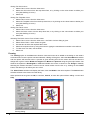
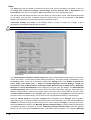
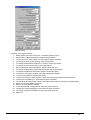
The Edit Chart Names option allows the names of the thread colours with the charts to be changed. When
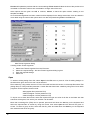
the option is selected the Edit Chart Entries dialog is given. Select the required Chart, this will show the
thread names for that chart. Alter the names as required, using the scroll bar to see more colours. The
Order can be altered to show the colours either in the original chart order or number order.
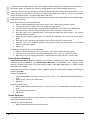
Copy Colour Names From Chart will ask for a thread range to copy the names from. This gives a quick
way of standardising the thread names between different ranges from the same manufacturer. For example
if you altered the names for the stranded cotton colours you could then select tapestry thread range and
copy the colours names from the stranded cotton range.
Other options that are given are OK, to continue, Cancel, to leave the option without making any changes
and Help.
Editing the Thread Names Within a Chart
1. Select Setup from the Palette menu - a sub-menu is given.
2. Select Edit Chart Names from the Setup sub-menu - the Edit Chart Names dialog is given.
3. Select the required chart type.
4. Select a different Order if required.
5. Select Copy Colours Names From Chart if you require the names to be copied from a different
thread chart.
6. Edit the names as required, using the scroll bar to see more colours.
7. Select OK.
Turbo Cross 2004
Palette Menu • 117