1
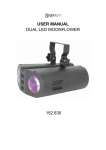
Penguin &
Light Splash II
Moonflower Effects Lighting
User Manual
Please read these instructions carefully before use.
Introduction
Thank you for purchasing Penguin & Light Splash II Moonflower Effect
Lightings. To optimize the performance of the products, please read these
operating instructions carefully to familiarize yourself with the basic
operations of the units. The units are multicolored rotating moon flower
effects, sound activated, and have three different operating modes
( Continuous Rotation, Sound activated, and Static).
Safe Usage of the Fixture
Unpack and check carefully there is no transportation damage before using
the unit.
Before operating, ensure that the voltage and frequency of power supply
match the power requirements of the unit.
The unit is for indoor use only. Use only in a dry location.
The unit must be installed in a location with adequate ventilation, at least
50cm from adjacent surfaces. Be sure that no ventilation slots are blocked.
Disconnect power before fuse/lamp replacement or servicing.
Replace fuse/lamp only with the same type.
Make sure there is no flammable materials close to the unit while operating
as it can be very hot.
Warning
To prevent or reduce the risk of electrical shock or fire, do not expose the
unit to rain or moisture.
Never touch bulb with bare fingers as it is very hot after using. Do not open
the unit within five minutes after switching off.
Do not look directly at the light while the bulb is on.
Caution
There are no user serviceable parts inside the unit. Do not open the housing
or attempt any repairs yourself. In the unlikely event your unit may require
service, please contact your nearest dealer.
Installation
The unit should be mounted via its bracket. The bracket itself attached to the
underside of the unit. Always ensure that the unit is firmly fixed to avoid
vibration and slipping while operating. Always ensure that the structure to
which your are attaching the unit is secure and is able to support a weight
of 5kgs for each unit.
General Operation:
The fixture is designed to operate as a stand alone unit, there is no need of
a controller. It is ready to be plugged in, out of the box. There is no power
switch. After fitting the bulb and plugging in the unit if there is no light output
check the fuse, sometimes during transportation the fuse becomes loose.
The fixture features a fascinating plastic case design and a hanging bracket.
It's perfect for clubs, pubs, parties, mobile DJs, home use, and any arena
that requires a compact, light weight, ease to use fixture.
Operating Modes:
The unit comes with a 3-way multi-operating switch located on the rear of
t h e u n i t . T h e s w i t c h c o n t r o l s 3 d i ff e r e n t o p e r a t i n g m o d e s ; C o n t i n u o u s
Rotation, Sound Activated, and Static. When the switch is in the '' I '' position
the internal dichroic reflector spin continuously. When the unit is in the '' o ''
position the internal dichroic reflector is static ( does not rotate ). When the
switch is in the '' II '' position, the unit's internal dichroic refector will react
to sound.
For Penguin effects lighting, the external Mirror/ Barrel will react to sound
no matter the switch is on which position.
3 Position Mode Switch
Fuse Holder
Fitting the Bulb
Disconnect from the main power supply. Open the bulb access hatch in front
of the fixture by loosening the 2 screws as shown below. Insert a BRL-50W
bulb in the bulb socket, close the access hatch carefully and re-tighten the
2 screws. For bulb replacement, be sure the fixture has had ample time to
cool before attempting to replace the bulb. Never touch the bulbs with your
bare fiugures as it will shorten bulb life.
Remove the screws at both ends to
open the bulb access hatch.
Bulb socket
Maintenance and Cleaning
To ensure the performance of the fixture, it should be kept clean. Due to the
fog residue, smoke, and dust, cleaning the internal and external optical
lenses/ mirrors must be carried out periodically to optimize light output. Do
not use any type of solvent on dichroic color filters.
A soft cloth and typical glass cleaning products should be used in cleaning.
It is recommended to clean the external lens/mirrors at least every 20 days
and clean the internal lens at least every 30/60 days.
Trouble Shooting
Hereunder are a few common problems that you may encounter, with solution.
No Light output from the unit:
1.Be sure the external fuse has not blown. The fuse is located on the rear panel.
2.Remove the bulb cover and be sure the bulb is seated in its socket properly.
Unit does not respond to sound
1.Be sure the unit's mode switch is in the '' II '' position, this is the only mode
that allows the unit to operate in sound activated mode.
2.Low frequencies ( bass ) should cause the unit to react to sound. Tapping
on the microphone, quiet, or high pitched sounds may not activate the unit.
Important Statement
The fixture is tested and packed properly before shipping. Please make sure
the packing and the fixture are in good condition before installation and use.
Please follow these operation, safety, and maintenance instructions to ensure
a long and safe life for your fixture. Any damage cased by mishandling is not
covered by the warranty!
KEEP THE USER MANUAL.
Please note: Specifications and improvements in the design of the unit and
this manual are subject to change without any prior written notice.
Specification:
Specification/Model
Penguin
Light Splash II
Bulb
BRL 12V 50W
BRL 12V 50W
Voltage
As indicated on the
product label
As indicated on the
product label
Dimensions
430 x 230 x 210mm
260 x 230 x 210mm
Internal Reflector
Dichroic Dish
Dichroic Dish
External Reflector
Flat or Barrel
Reflector
None
Fuse
2 Amp
2 Amp
Weight
3.5 kgs
3.0 kgs
Duty Cycle
15 min. On/off
15 min. On/off
Operating Mode
Continuous rotation,
Continuous rotation,
Sound Activated, & Static Sound Activated, & Static