1
Eudora User Manual
Sending Messages
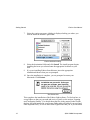
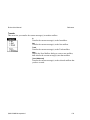
The attachment types include the following:
AppleDouble
This is best for recipients with MIME-compliant e-mail readers, regardless of
what operating system they are using. For more information on MIME, see
Appendix G.
AppleSingle
This works for recipients with MIME-compliant e-mail readers on Macintoshes.
Do not use this type if your recipient is using a PC.
BinHex
This is best for recipients on a Macintosh with an e-mail reader that is not MIMEcompliant.
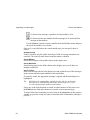
If you want to include the Macintosh file-type and resources with an AppleDouble
or AppleSingle attachment, be sure the Include Macintosh Information icon is
checked. This can be important in maintaining the integrity of the file for another
Macintosh, but will confuse other operating systems.
If the chosen document is a plain text file, it is not encoded in any special format
before being sent, but the Include Macintosh Information icon can be used to
force the document to be encoded with the chosen encoding.
Sending Attachments to Non-Eudora Users
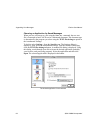
If you send an attachment to someone who doesn’t use Eudora, the attached file
may be included at the end of the message in the chosen attachment format
(AppleDouble, AppleSingle, or BinHex). Your recipient should save the message
as a file, then decode the file using an application appropriate for the encoding
method you used when you sent the message.
Inserting the Contents of a Text File into a Message
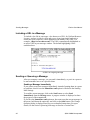
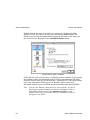
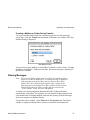
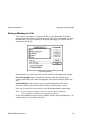
The contents of a text file can be inserted directly into a message (and then edited
if desired). To insert a text file into a message, put the cursor where you want the
text inserted, and select Attach Document... from the Message menu. Then select
the text file you want and click on the Insert button. The text from the file is
inserted into your message and you can edit it as normal.
QUALCOMM Incorporated
39