1
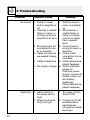
5 Troubleshooting
Problem
Possible Cause
Remedy
No sound: 1. Power to mixer
1. Switch power to
and/or amplifier is
mixer or amplifier
off.
on.
2. Channel or master 2. Set channel or
fader on mixer, or
master fader on
volume control on
mixer or volume
amplifier is at zero.
control on amplifier to desired
level.
3. Microphone is not 3. Connect microconnected to mixphone to mixer or
er or amplifier.
amplifier.
4. Cable connectors 4. Check cable
are seated loosely.
connectors for secure seat.
5. Cable is defective. 5. Check cable and replace if damaged.
6. No supply voltage. 6. Switch phantom
power on.
Phantom power
supply: connect to
power outlet or insert battery
(batteries).
Check cable and replace if necessary.
Distortion: 1. Gain control on
the mixer set too
high.
2. Mixer input sensitivity too high.
22
1. Turn gain control
down CCW.
2. Connect a 10-dB
preattenuation
pad between
microphone cable
and input.