1
80XX Series H.264 Digital Video Recorder User Manual ………………………………………………….V1.0
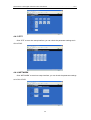
There are Chinese and English options, press【ENTER】or【+】/【-】to chose.
Remark: System will restart after changing language success.
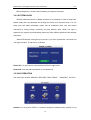
7 DATA/TIME SETUP
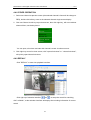
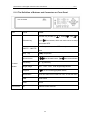
Move cursor to select “date/time” (The big icon means select ok)and press【ENTER】
to enter into the date/time setup interface.
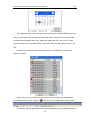
DATE: Press【Enter】or 【+】/【-】or press number key to chose the date.
DATE FORMAT: Press ENTER to switch between the date patterns, there are
YY-MM-DD and MM/DD/YY two options. When chose the date format, left date will be
displayed with corresponding format.
TIME: Press【Enter】or 【+】/【-】or press number key to choose the date.
TIME FORMAT: Press ENTER to switch between the date patterns, there are 12 HOURS
and 24 HOURS two options. Left time will be displayed with corresponding format.
Remark: Have to move the cursor to the 【MODIFY TIME AND DATE】 and press
【APPLY】 to save it, otherwise it won’t save the modify if you exit this interface.
20