1
.c
om
Micrologix™ 1000 Programmable Controllers
Mounting Your Controller Horizontally
5
The controller should be mounted horizontally within an enclosure using either the
ua
ls
DIN rail or mounting screw option. Use the mounting template from the front of
this document to help you space and mount the controller properly.
Be careful of metal chips when drilling mounting holes for
your controller. Drilled fragments that fall into the controller
could cause damage. Do not drill holes above a mounted
controller if the protective wrap is removed.
tM
an
ATTENTION
Using a DIN Rail
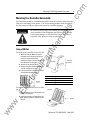
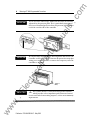
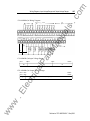
To install your controller on the DIN rail:
ar
1. Mount your DIN rail. (Make sure that the
placement of the controller on the DIN rail
meets the recommended spacing
requirements. Refer to the mounting template
from the back of this document.)
lP
Mounting
jl Template
2. Hook the top slot over the DIN rail.
ca
3. While pressing the controller against the rail.
snap the controller into position.
lec
tri
4. Leave the protective wrap attached until you
are finished wiring the controller.
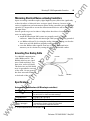
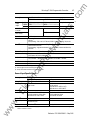
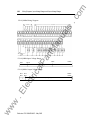
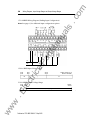
Call-out
Dimension
A
84 mm (3.3 in.)
c
16 mm (0. 63 in. )
8
33 mm (1. 3 in. ) maximum
.E
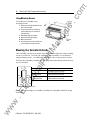
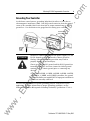
To remove your controller from the DIN
rail:
1. Place a screwdriver in the DIN rail latch at the
bottom of the controller.
ww
w
2. Holding the controller. pry downward on the
latch until the controller is released from the
DIN rail.
Publication1761-IN001 8-MU-P- May2002