1
Setup menu
3.4.6
The Menus
Command AutoRefresh Settings
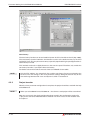
Available for *.DP2 projects with QJ71PB92D and QJ71PB92V DP masters only. You can
specify the settings for the automatic update and the devices within the CPU. These settings
are stored in the project file. Once the configuration is transferred to the CPU the settings of the
automatic refresh is stored in the IPARAM file of the connected CPU.
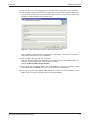
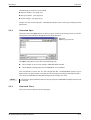
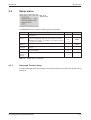
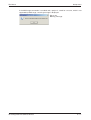
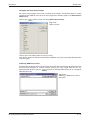
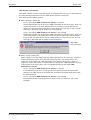
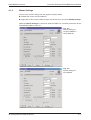
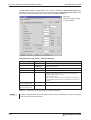
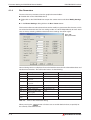
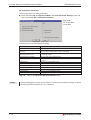
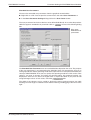
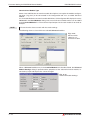
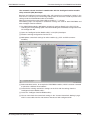
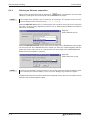
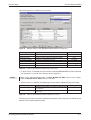
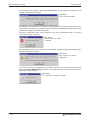
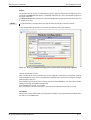
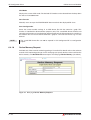
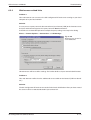
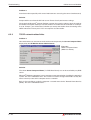
In the autorefresh settings editor the buffer memory area for the autorefresh is specified.
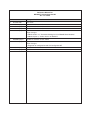
Fig. 3-23:
Autorefresh settings editor
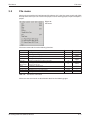
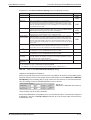
Item
Meaning
Slave Specific
Transfer
Input and output areas of each slave are transferred separately. The CPU start devices can be
specified individually for each slave in the Slave Parameter Settings dialog (see page 4-12).
Advantage:
No wasted CPU devices in Mode 0.
Disadvantage:
Long data transfer time.
Block Transfer
Input and output areas are transferred as one block. CPU start devices can be user-specified.
Advantage:
Short data transfer time.
Disadvantage:
Wasted CPU devices in Mode 0.
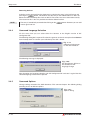
Communication
Trouble Area
The contents of the selected area is copied to the specified CPU device.
Extd. Communication Trouble
Area
Slave Status
Area
Cancel
Exit the dialog.
OK
Store the settings in the current project file.
Tab. 3-6:
3 – 18
Items in the autorefresh settings editor
MITSUBISHI ELECTRIC