1
Ð
LOG Mode
1.
2.
3.
4.
5.
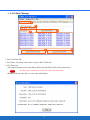
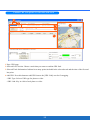
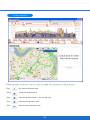
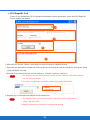
1. Tab: LOG Mode Tab.
2. LOG Mode: Select a log mode and press “Set Log Mode” button to confirm the setting.
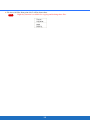
• User Define: The detail can be set according to point 3 as below.
• Walk: Log a track point per 20 sec. or 50 m when the velocity is between 1~150 km/h.
• Bicycle: Log a track point per 10 sec. or 100 m when the velocity is between 1~150 km/h.
• Car: Log a track point when a heading change is bigger than 7 degrees when the velocity is between 1~2000
km/h.
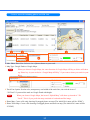
3. User Define LOG Mode: Set by time interval, the ranges of movement, direction, speed or the mixed mode as
conditions.
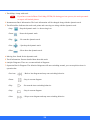
Note
1. Please be aware that the moving speed should lie in between the valid speed for record;
otherwise, the point won’t be saved.
2. You also can set the valid speed to filter some shift points.
4. Factory Setting: Restore the setting to the factory setting.
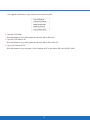
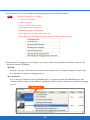
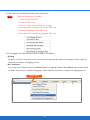
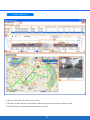
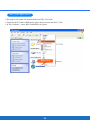
5. Mix Mode: Combine following conditions by your preference and log a point only one of them is conformed.
•Time Interval (T)
•Distance Interval (D)
•Heading Change (H)
•Speed Change (S)
5