1
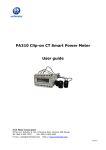
9. Set Modbus-TCP port in the seventh setting page, such as 502. Press the "V/
A" key to go to the setting page. Users may set the parameters pointed out in
Figure 5-35. The cursor starts at the first digit. After setting the Modbus-TCP
port, press the "V/A" key to accept. Press the "P" key to go to the eighth setting
page for the HTTP port. The Modbus-TCP port’s default value is 502, and the
user defined range of port is 2000~5999. If the set port is not in the correct
range, the set port will return to the default value.
Fig 5-35
140