1
» Current play time is added to the
location in the list of bookmarks.
To check the audio books transferred to the
player,
See the player pane on AudibleManager.
& If necessary, click Refresh Device.
To play from a bookmarked play time,
& On the play screen, press and select
[Bookmarks] > [Go to bookmark].
Select an option.
» Play starts from the selected play
time.
Find audiobooks on the
player
To delete a bookmark,
& On the play screen, press and select
[Bookmarks] > [Delete bookmark].
Select an option.
» You remove the play time from the
list of bookmarks.
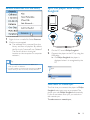
In > [Audiobooks]=)
organized by book title or author.
[Books]
& Books are sorted by book title in
alphabetical order.
[Authors]
& Books are sorted by author in
alphabetical order.
Delete audiobooks from the
player
Play audiobooks
1
2
& On the play screen, press > [Delete
Audiobook].
» Current audiobook is deleted from
the player.
Select a book.
Press
to start play.
» On the play screen, you can see
the book information and play
status.
On the play screen,
& Press
to pause and resume play.
& To go to the previous screen, press
To skip titles or sections during play,
.
1
On the play screen, press > [Navigation
mode]. Select [Titles] or [Section].
2
On the play screen, press
/
.
Use bookmarks
On an audiobook, you can add up to 10
bookmarks to the play time. Start play from the
bookmarked play time as needed.
To add a bookmark,
1
On the play screen, press and select
[Bookmarks] > [Add bookmark].
2
Select a location.
EN
15