1
9
Cool Edit Pro: User Manual
PLAYBACK/ZOOM:
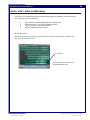
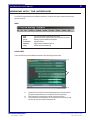
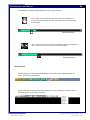
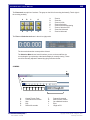
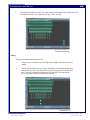
This area contains the all relevant tools to zoom in and out of the sound file(s). You can select
an area an zoom in. You can also see your current position in the sound file(s) by the current
time position in the middle.
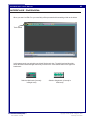
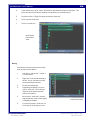
The sound area contains the playback area, the zoom area, the current position, and track/selection
time.
A
B
C
A:
B:
C:
D:
D
Playback
Zoom
Current Position. Track Length/Selection
Zoom (Vertical)
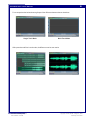
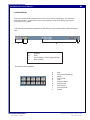
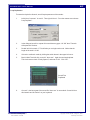
The functions of the playback:
A
B
C
D
E
F
G
H
I
J
File name: CoolEdit_User.pmd
Last modified: 03/06/02
A:
B:
C:
D:
E:
F:
G:
H:
I:
J:
Stop
Play (Current Selection)
Pause
Play To End
Loop
Rewind to Begin
Fast Forward
Fast Rewind
Forward to End
Record
Copyright Arizona Board of Regents, 2002
University of Arizona