1
BeatMaker 2 User Manual
___________________________________________________________________________________________________________________________________________________________________________________________________________________________________________________________________________________________________________________________________________________________________________________________________________________________________________________________________________________________________________________________________________________________________________________________________________________________________________________________________________________________________________________________________________________________________________________________________________________________________________________________________________________________________________________________________________________________________________________________________
9. SAMPLE LAB
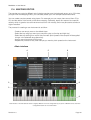
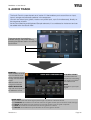
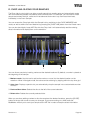
The Sample Lab is a tool used to edit the properties of audio files, transform and slice a sound
and add effects. You can access it from the Studio view by tapping the [SAMPLE LAB] button,
as well as from the instruments themselves (see the instruments sections of this manual).
A. OVERVIEW
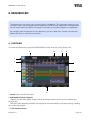
When launching the Sample Lab, you will be asked to either load an existing file or make a new
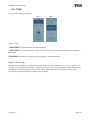
recording. The Sample Lab has 3 different editing modes:
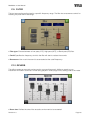
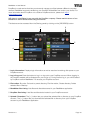
- SAMPLES: Edit, transform and apply effects to the currently loaded sample
- LOOP MARKERS: Define the looping point of a sample, useful when using the HOLD+LOOP mode
within the Drum Machine and Keyboard Sampler.
- CHOP MARKERS: Define slices within the sample, useful to create Drum Machine presets out of a
single audio file.
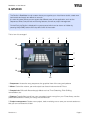
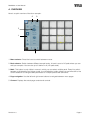
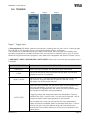
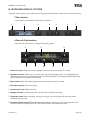
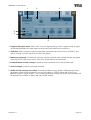
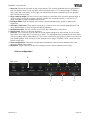
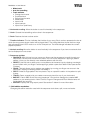
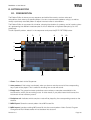
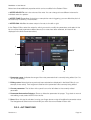
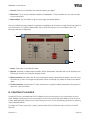
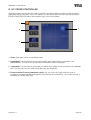
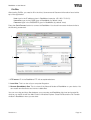
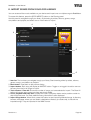
These edit modes have common tools and actions as described below:
1
2
3
4
5
6
7
8
9
10
11
12
13
1. Close: Closes the Sample Lab. If the sample has been modified, a panel will popup to save or
discard the changes.
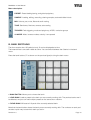
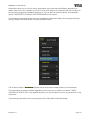
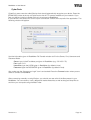
2. File menu: Brings the file menu panel, offering the following actions:
___________________________________________________________________________________________________________________________________________________________________________________________________________________________________________________________________________________________________________________________________________________________________________________________________________________________________________________________________________________________________________________________________________________________________________________________________________________________________________________________________________________________________________________________________________________________________________________________________________________________________________________________________________________________________________________________________________________________________________________________________
Revision 2.3 Page 63