1
User manual
SX-907
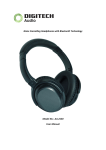
Stereo Bluetooth Headset
Contents
Foreword
Componets
Parts Name
To charge for headset
1
2
3
4
Headset on / Headset off
Be match between SX-907 and Bluetooth Audio Dongle
SX-907 matches with mobile & Bluetooth Audio Dongle
Match your mobile with SX-907
SX-907 Operation
Enjoy music from PC & Audio device
Indicator light of Headset
6
7
8
9
10
12
13
Technology index
14
Componets
Headphone Indicator
Charging State:
13
Red indicator keeps long time bright
Full Charging State:
Red Indicator being off
Low Power State:
Red indicator keeps flashing
Power on / Standby Mode:
Blue indicator shows and keeps flashing
Power Off:
Red / Blue indicator being off
Paring Mode:
Red / Blue indicator flash by turns
The packing includes the following parts:
SX-907 stereo Bluetooth headset
USB charge cable
AC adapter
User manual
Bluetooth audio adapter (Optional)
USB dongle (Optional)
2
Using SX-907
To charge for headset
Switch the call
Long press the button pick up/next for 6 seconds during your call within the operating distance,
your call will switch to mobile phone mode from earphone mode.
SX-907 Charge:
The headset designed with polymer lithium battery inside, kindly suggest that please charge it about
3.5-4 hours before first using
Adjust the volume
Adjust to you preferred volume during your call by moving the volume switch.
Charge process:
Play/Next/Pause/Stop
It will pause after a quick press of the
during your enjoying of music .
2
play/next
Next
It will play the next music after your long press on
of music
and play again after long press for 3 seconds
pick up/next
for 3 seconds during your enjoying
11
1
Charge by computer: To connect charge port with computer by USB cable, then the indicator light
becomes red, please see graphic1.
To connect charge port with power by adapter cable, then the indicator light becomes red, please
see graphic2
Battery status:
The indicator light will keep in red when SX-907 is in the charging, after the power is full, the indicator
light will be turned off. The indicator sound DOO won't be heard each 10 seconds till the headset
turns off automatically when the battery is low in power.
4
Enjoying stereo music from Computer/Audio source appliance
Parts Name
Pair the Bluetooth with USB dongle on the premise that your computer setted up with the USB driving
1
Play / Last
2
Power indicator light
3
Pick up / Next
4
Power switch
5
Volume switch
6
Charge port
software, then your can enjoy the music from computer though the Bluetooth (As the picture one showing) ;
or connect the audio adaptor with the audio output directly and pair the dongle with the Bluetooth,
then your can enjoy the music from computer(As the picture two showing)
Graphic 1
Graphic 2
6
5
1 2
34
3
12
Forward
Technology index
Thanks a lot to purchase SX-907 stereo Bluetooth headset
We believe that SX-907 will be satisfied with your requirements
And brings you to the super music enjoyment.
Before your using of the SX-907 Stereo Bluetooth headset,
please read this User's Guide carefully.Thanks.
1
Bluetooth Edition: In accordance with Bluetooth V2.0 version
Bluetooth Headset Support Devices: Headset profile, Hands-free profile and Advanced Audio
distribution profile (A2DP)
Transmitting Power Rate: Class 2
Operation Range: 10M
Receiving Frequency Rang: 2.4026 Ghz -2.480Ghz
Embedded Rechargeable Li-Poly Batteries: 450mAh
Charger Output Spec.: 5.0V ( Type 300mA)
Charging time: 3.5-4 Hours
Calling time: 10Hours
Music time: 12Hours
Standby time: 200Hours
Headphone Size: 171*159*69 mm
Weight: 138g
14
Be match between SX-907 and Bluetooth Audio Dongle
Make sure headset and audio dongle are fully charged before pairing
1. Set the power switch to ON, you will hear the indicator sound 2 second later, then the indicator light
will flash in red and blue alternately and go into pairing status.
2.Long press the
play button of the Audio dongle untill the indicator light flash in red and blue
alternately and go into pairing status.
3.After 10 seconds of pairing status, the indicator light of SX-907 slowly flash in red and blue and then
go into standby working status.
4.Now you can enjoy music freely from SX-907 .
7
Match your mobile phone and Audio dongle with SX-907 simultaneously
SX-907 can connect with two devices at the same time, such as Audio dongle and Mobile phone
(with Bluetooth function)
1.Firstly, pair the headset with Bluetooth device as the noted process of pairing SX-907 and Audio dongle.
2.Connect the Audio dongle and Media player with the cable,then you can enjoy music from SX-907.
3.Replay the SX-907 and go into the pairing .
4.Find out the Bluetooth function on you mobile phone, for the part about Bluetooth function on Mobile
phone ,please make reference to the user manual.
5.Run your Bluetooth function on your mobile phone ,and search within 1 meter,then choose SX-907
from the list.
6.Enter the password 0000 , press the OK to pair your mobile phone with bluetooth. headset.The
indicator will flash in blue after the pairing finshed.
7.Please operate as aboved process,you will enjoy music from your music device, and dail or get through
your call during listenning music.It will go back to music after you finished your call automatically.
8
Pair SX-907 with mobile phone
9
1.Set the power switch to ON, you will hear the indicator sound 2 second later,then the indicator light
flash in red and blue alternately and go into pairing status.
2. Please run into the bluetooth function on the mobile phone, then into searching for bluetooth device
status.
3. Please find SX-907 on the list and choose SX-907.
4. When SX-907 appears in the display, press YES and enter password (0000), then indicator light
flash in blue after the pairing finished.After the paring successed, run the build-in music media
player of mobile phone(support A2DP, such as NOKIAN91,MOTOROLAE6801) then you can enjoy
the music through the headset.During the playing, you can use shortcut button on the headset to
adjust volume, play ,pause and stop the music or skip to the last music or next music. When listening
to the music, there is a incoming call, SX-907 headset will make the music mute automatically and
answer the phone call, after finishing a phone call, the headset will get back to stereo music
automatically.
Headset on / Headset off
Headset on:
Set the power switch to ON, you will hear the indicator sound 2 second later, then the indicator light will
flash in red and blue alternately and go the to pairing.
Headset off:
Set the power switch to OFF, then the Bluetooth will be turn off immediately with the indicator light off.
6
Using SX-907
To charge for headset
Charge by computer
Graphic 1
Answer a phone call
When you hear the ring of incoming call from headset, short press the answering button of headset to
answer the call.
Notice: If mobile phone rings first, please don't press the answering button until hear music from headset.
End a phone call
During the calling, short press the answering button again to end the phone call.
Charge by power adapter
Graphic 2
5
Reject a phone call
When there is a incoming call, long press the answering button for 6 seconds, then the phone call be rejected.
(Due to many modes of mobile phone, it is not suitable to use for some mobile phones)
Redial the phone
Please make sure mobile phone and headset is on and in the operation range of each other, long
press the answering button for 5 seconds, after hearing the reminding sound then mobile phone
will redial last number you dialed automatically.
10