1
Managing group users
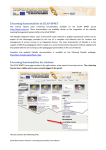
The administrator user/group coordinator can manage group users. After the log in, the group
coordinator can select one group he joined and select the following activities:
Invite one or more colleagues to join the group;
See the list of subscribers
Manage the group forum
manage the group objects
create e new Forum topic
Create a new web page associated to the group
Manage his membership to the group
By selecting the item to view the list of members, the coordinator will be able to access:
List of members:
o See the list of group members;
o Accept or deny membership requests from portal registered users;
o Appoint a group user as coordinator, dismiss him from that office;
o Remove a member from the group;
Members’ pictures:
o See group users’ pictures;
o See their profiles;
o Etc.
Add members:
o Directly register as group member any ECLAP BPNET portal’s registered users on their
behalf;
o Send invitations to recommend group membership.
84
ECLAP Best Practice Network User Manual