1
Gallery
Google
Use Gallery to view, capture, and manage photos and videos.
For more information, refer to “Gallery” on page 73.
Touch
Gallery.
Game Hub
Access social and premium games. Join Game Hub to enjoy
free games with your friends.
Game Hub.
1. Touch
A Disclaimer screen displays.
2. Read the Disclaimer and touch Confirm.
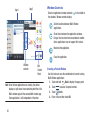
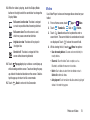
Menu to display the following options:
3. Touch
• Uninstall: Touch this option to uninstall a previously installed
game.
• Legal notices: Displays Game Hub legal information.
4. Touch a game and follow the onscreen instructions.
Gmail
Send and receive email with Gmail, Google’s web-based
email. For more information, refer to “Gmail” on page 50.
Touch
Search the internet using the Google search engine.
Tip: The Google Search widget displays by default on the main
Home screen. For information about displaying widgets on
the Home screen, see “Adding Widgets to a Home
Screen” on page 29.
1. From the main Home screen, touch
.
– or –
From a Home screen, touch
Apps ➔
Google.
2. Use the keyboard to enter search criteria to display
matching searches.
– or –
Touch
and speak the search criteria slowly and
clearly. Google searches for the information and
displays results.
Suggestions display below the text entry area.
Gmail.
Applications
86