1
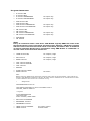
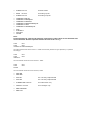
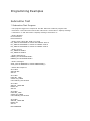
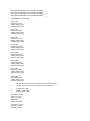
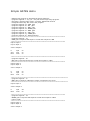
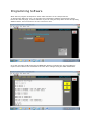
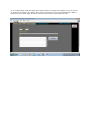
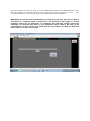
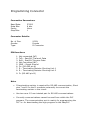
Program Statements: IF IF IF IF element element element element ON OFF RISINGEDGE FALLINGEDGE AND AND AND AND OR OR OR OR AND BLOCK OR BLOCK element element element element element element element element ON OFF RISINGEDGE FALLINGEDGE ON OFF RISINGEDGE FALLINGEDGE for inputs only for inputs only for inputs only for inputs only for inputs only for inputs only Note: Every ‘IF’ statement starts a new block. ‘AND BLOCK’ logically ANDs the result of the last block with the result of the block just before that. Similarly, ‘OR BLOCK’ logically ORs the result of the last block with result of the block just before that. A maximum of nine IF statement blocks can be used before using ‘AND BLOCK’ or ‘OR BLOCK’ or else the result of the first block will be lost. THEN element ON THEN element OFF for outputs / flags for outputs / flags SET element RESET element for outputs / flags for outputs / flags CALL element IFTRUE CALL element IFFALSE CALL element RETURN START element TIMER RESET element for timers Note: Before using the START Timer instruction, load the timer value in the accumulator. Timer values are stored in the datawords numbered 0 to 127. All timers have a resolution of 0.1 seconds hence a value of 107 indicates a time value of 10.7 seconds. For e.g. * Assignments DECOMPRESSION IS FLAG 30 COOLTIME IS DATAWORD 10 VALUE 100 FORMAT XXXX.X COOLING_TIMER IS TIMER 21 * Program IF DECOMPRESSION ON LOAD COOLTIME START COOLING_TIMER TIMER SET element COUNTER INCREMENT element DECREMENT element LOAD element COUNTER LOAD element for counter values for data words