1
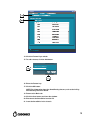
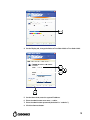
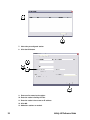
4. Enter the site name and site contact.
5. Select Dynamic or Static for the IP address Acquisition Type.
6. If Static was selected, enter the system IP address and other network settings.
Make sure no spaces are in the System Name entry.
NOTE: The Gateway IP address cannot be set to 0.0.0.0.
7. A DNS Server entry is required for remote LogMeIn support.
8. Select a locale.
9. Select the Purge Temporary Studies option if you want temporary studies to be
automatically deleted when the system reaches 95% full.
10. If you want to set aside a minimum amount of temporary space, enter an
amount in tenths of a TB in the Minimum Temporary Space field.
11. Select a level of concurrent associations you want the system to try to use if
exporting or SmartRouting studies.
12. Enter the e-mail server information for system messages.
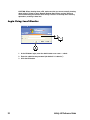
13. To manage Feature Keys, click the Advanced tab.
14
Infinity LX Reference Guide