1
Installation
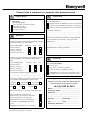
Ensure the switches and jumpers are configured as on the previous page, fit the card in
the PC and run the setup.exe on the PC241i's Windows NT Serial Driver Disk and follow the
instructions.
After installing, delete the existing Com ports and add each of the 8 Amplicon ports, Com1
to Com8. Set the base addresses and IRQ's for each port as shown. Set RS485 half duplex
to "None" and ensure the FIFO box is checked. Do not restart until all 8 ports have been
added.
Windows NT sometimes re-sets Com2 (and Com1), so it may take several attempts. If it is
not possible to get 8 Amplicon ports as required, then the offending port should be set to
'default' settings and the Amplicon port configured as Com 9. The TMP.ini file (created in the
Windows directory when TMP is first run) can then be modified to choose the actual port
configured.
e.g.
•
•
•
Unable to configure Com 2;
Set Com 2 settings to "default";
Configure Com 9 instead, using the base address and IRQ for Com 2;
In TMP.ini under the [COM2] heading change Port=COM2 to Port=COM9. Within
TrendManager Pro the user will still refer to Com 2, and the port will still be "Channel 2" on
the PC241i break out box.
4 3 -T V- 2 5 -0 3 G L O I s s u e 2
01/01
UK
3